
Retail & grocery POSBranch Commerce
Scan it, weigh it, ring it out. Cash and card totals sit side by side on the customer display, EBT tenders like any other payment, and stock comes down the moment the sale closes.
- Dual pricing
- EBT and scales
- Self-checkout (licensed)
- Works offline
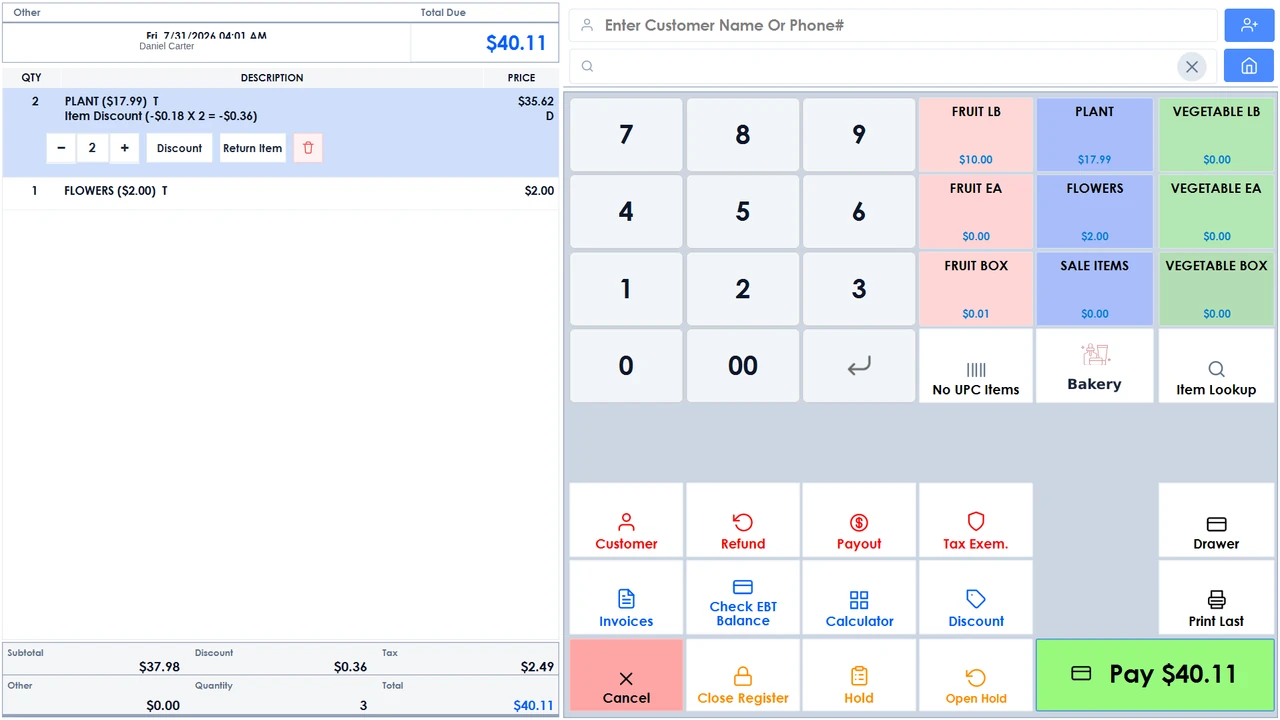
Cash and card, side by side.
The customer display carries both totals at once, so the choice is made before the card comes out, and the receipt prints it either way: both prices on every line, or cash prices with the card fee on its own.
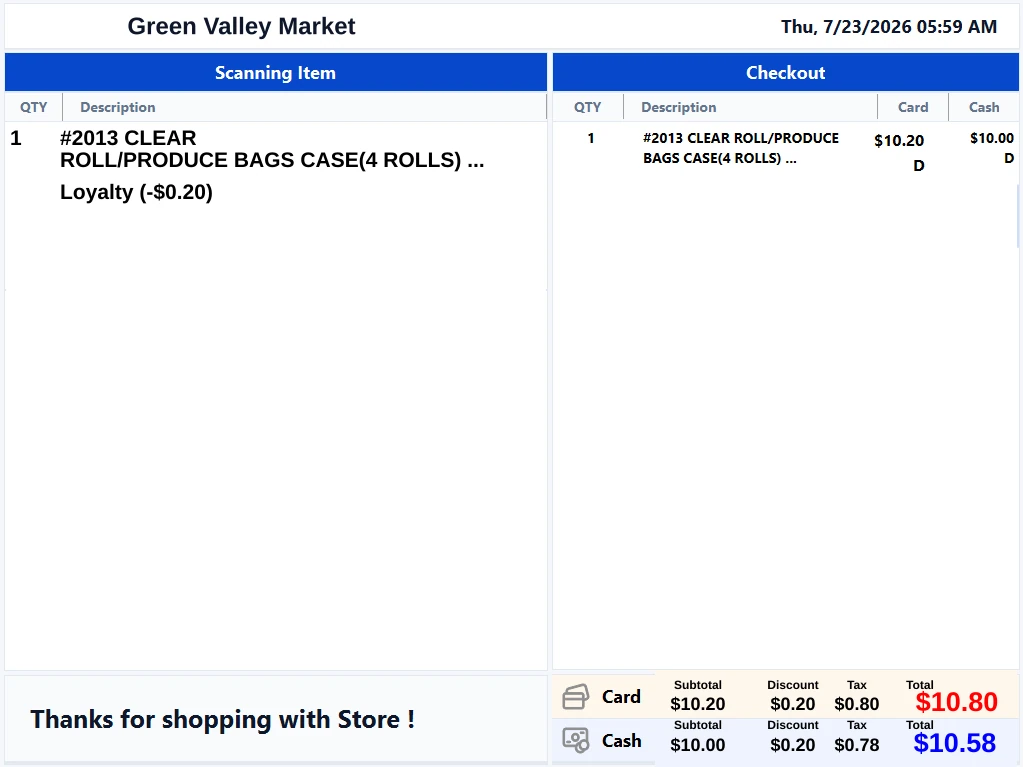
The customer-facing display during a sale. 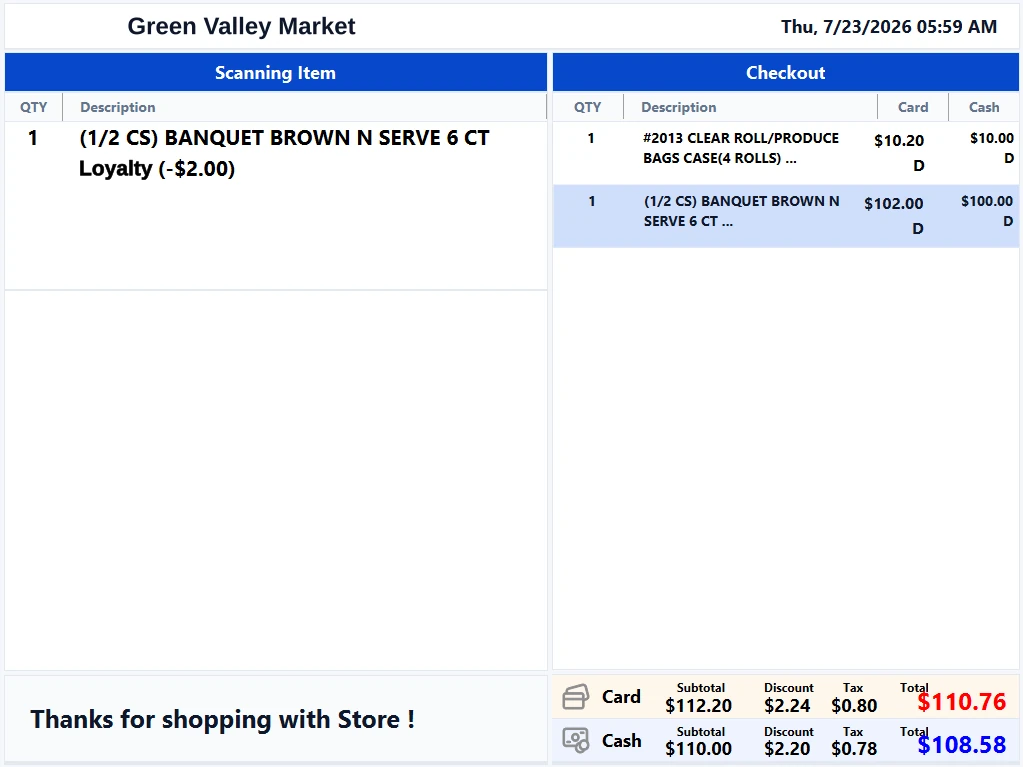
The same screen at the tender step.
Two totals, one screenCash and card totals side by side on the customer display, before anyone commits.
Two ways to print itBoth prices on every line, or cash prices with the fee on its own line.
EBT Food and EBT CashFirst-class tenders, with a balance check run from the terminal itself.
Balances on the receiptBegin, purchase and end balances printed for the customer to take away.
The screens that run the store.
One catalog stands behind the register, the stockroom and the storefront. These are the screens your staff work in every day: ringing a sale, managing inventory, reading the day back, and running promotions.
Ringing up a sale at the register. 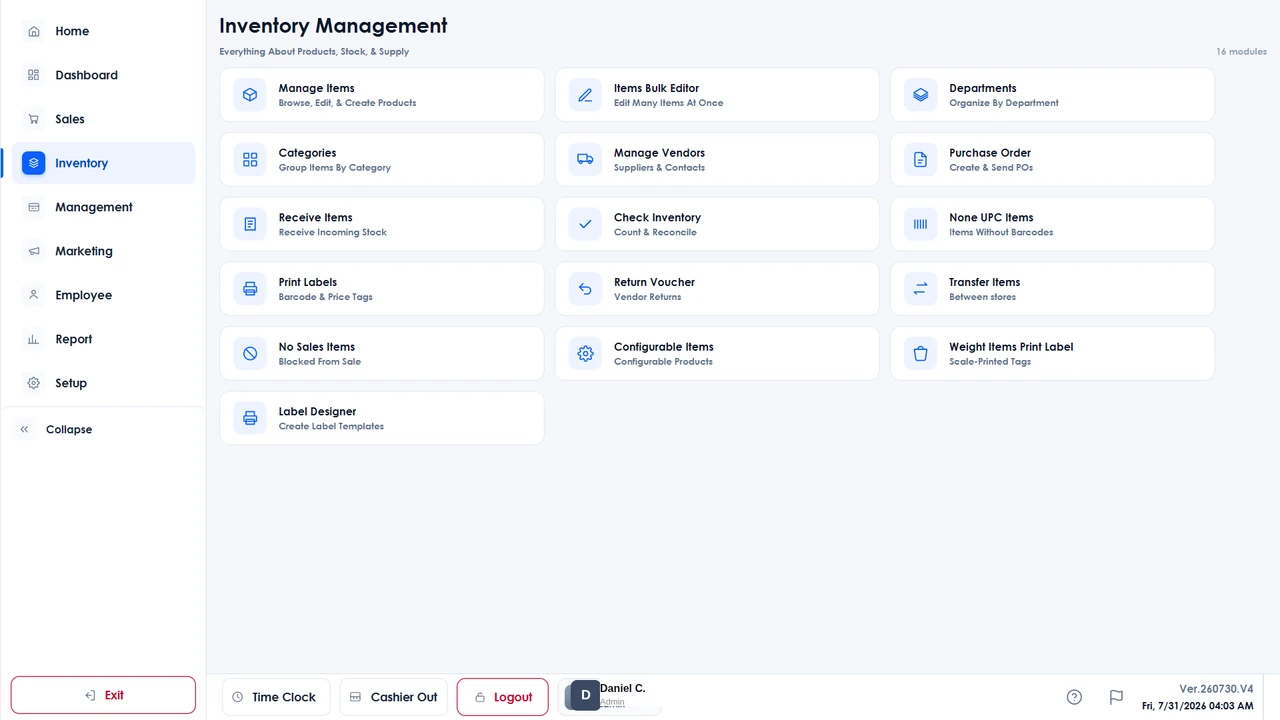
Inventory management, from items to purchase orders. 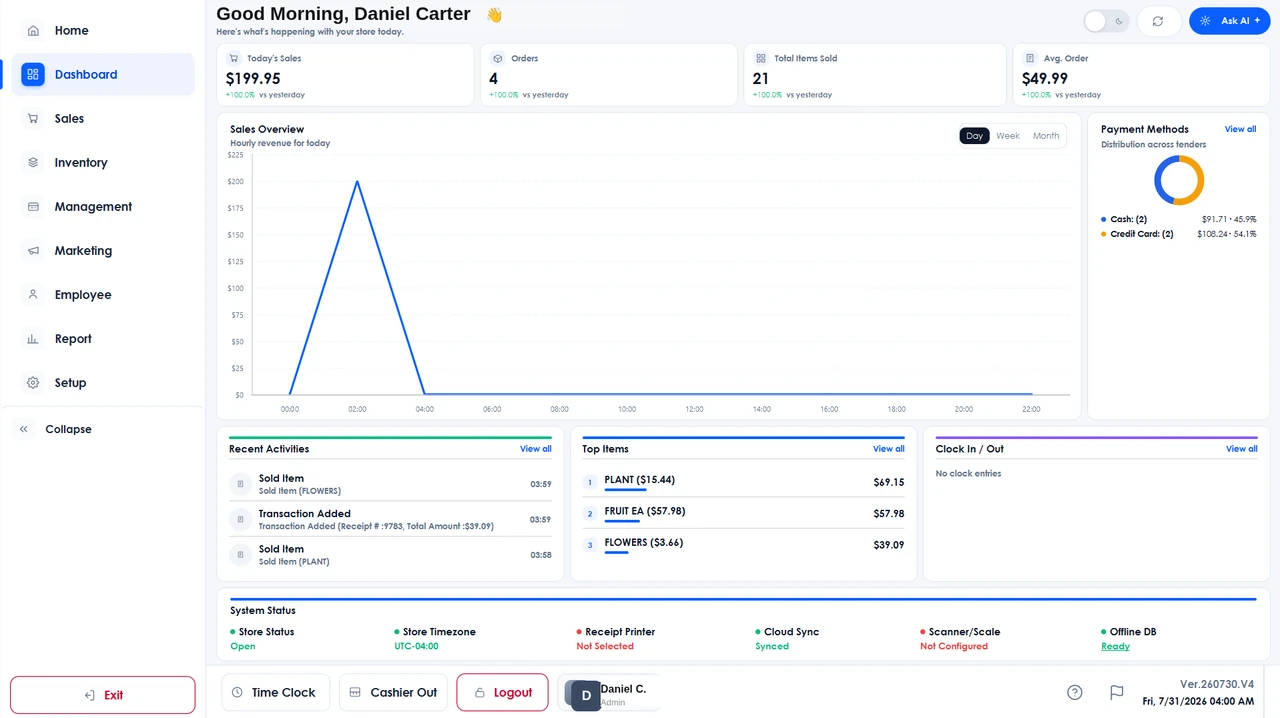
The store dashboard, with the day at a glance. 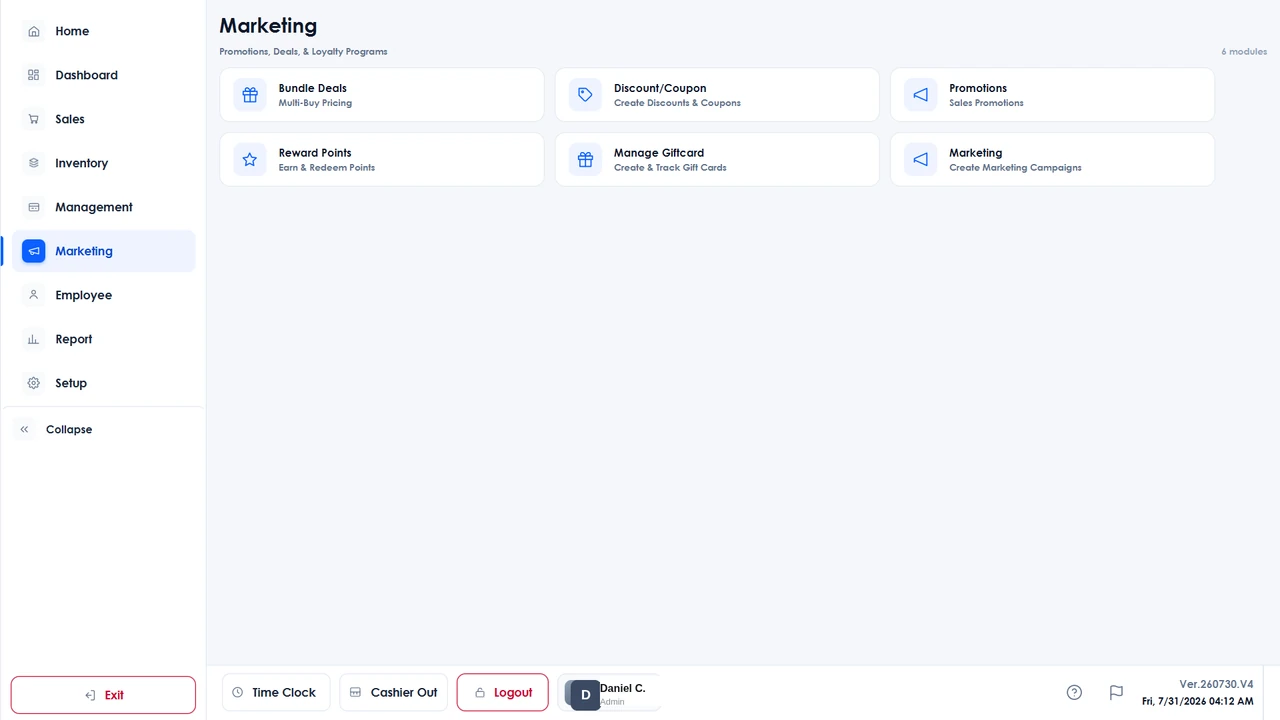
Promotions, coupons, reward points and gift cards.
Everything the lane has to do.
Weighed items come straight off the scale, a license is checked by scanning it, and the catalog that backs the lane is the one your online store sells from.
Scales and scannersCAS, Casio, Samsung and Datalogic Magellan scales, with CAS label-scale PLU sync at the counter.
Age-restricted salesDriver-license scanning, so the check happens at the lane rather than by eye.
Self-serve checkoutCustomers ring themselves up and pay at the kiosk. Licensed per station.
Online storeAn online store on the counter catalog, taking pickup and doorstep delivery orders, managed from the POS.
Matrix items and transfersMatrix items with attributes like size and color, and stock transfers between stores.
Inventory, in your hand.
Counts move as the sale closes, on the shelf and in the back room at once, and the work that keeps them right runs from the device in your hand.
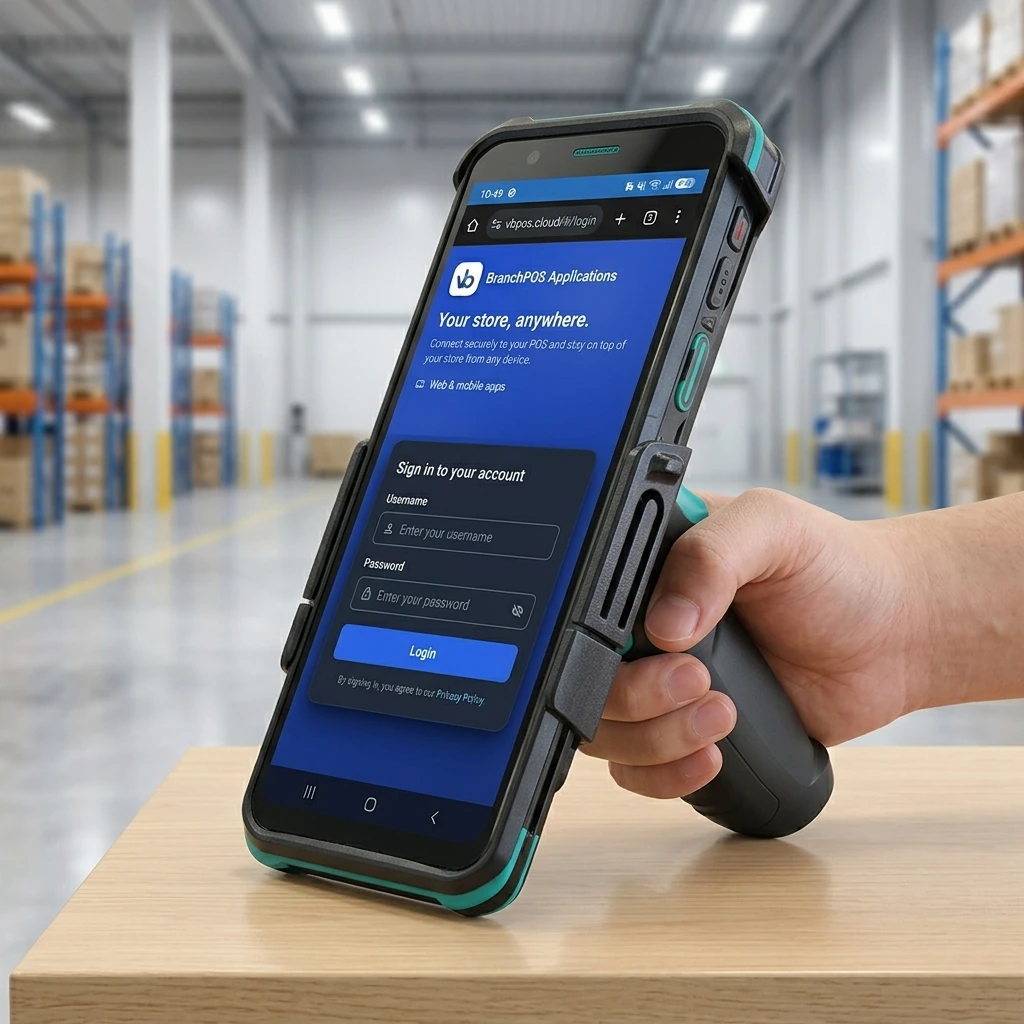 01
01Signed in on the floor
Stock, orders and reports run from a handheld, anywhere on the floor.
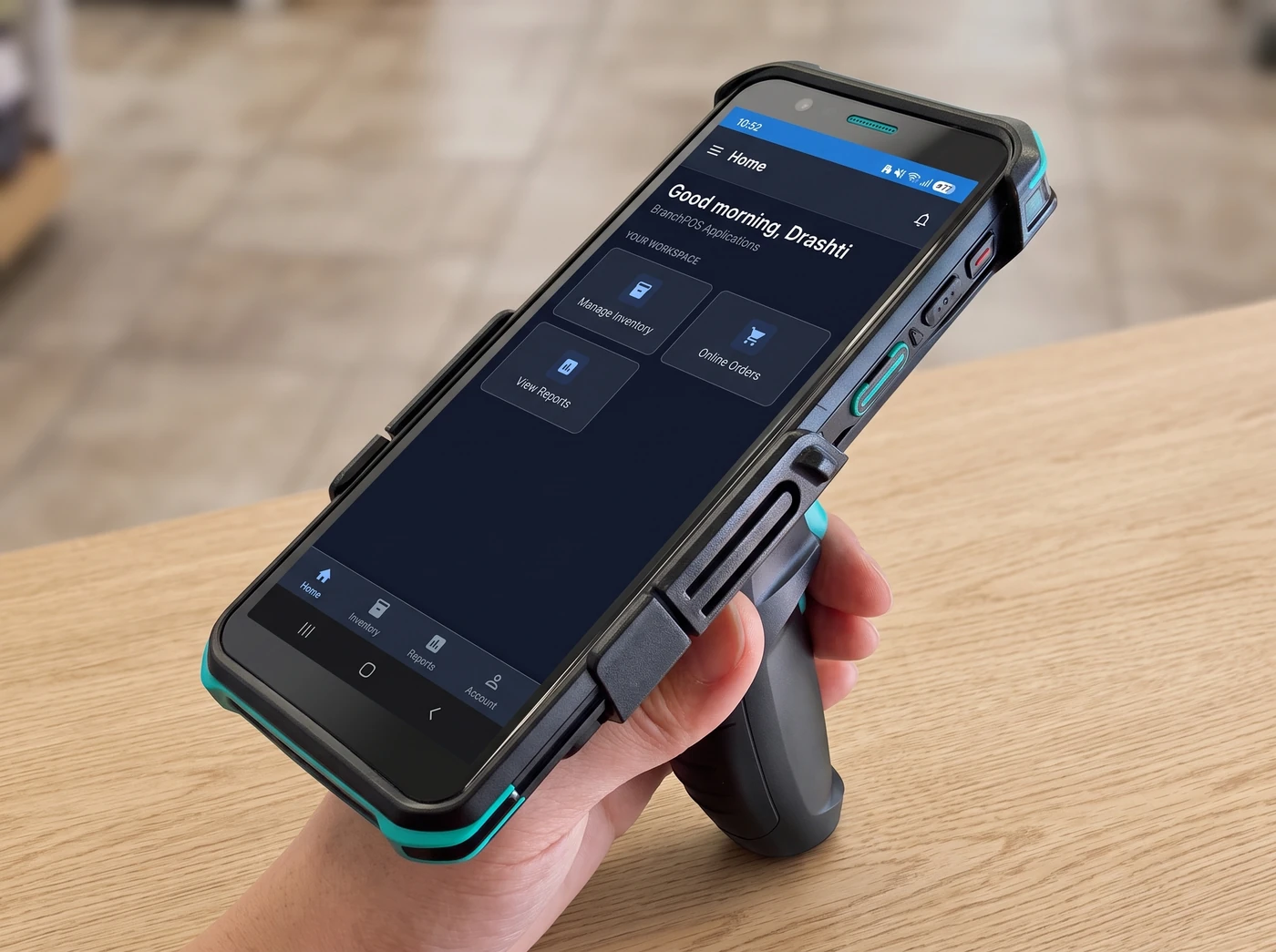 02
02One workspace, in hand
The Branch app on a rugged handheld with a pistol grip, built for the sales floor.
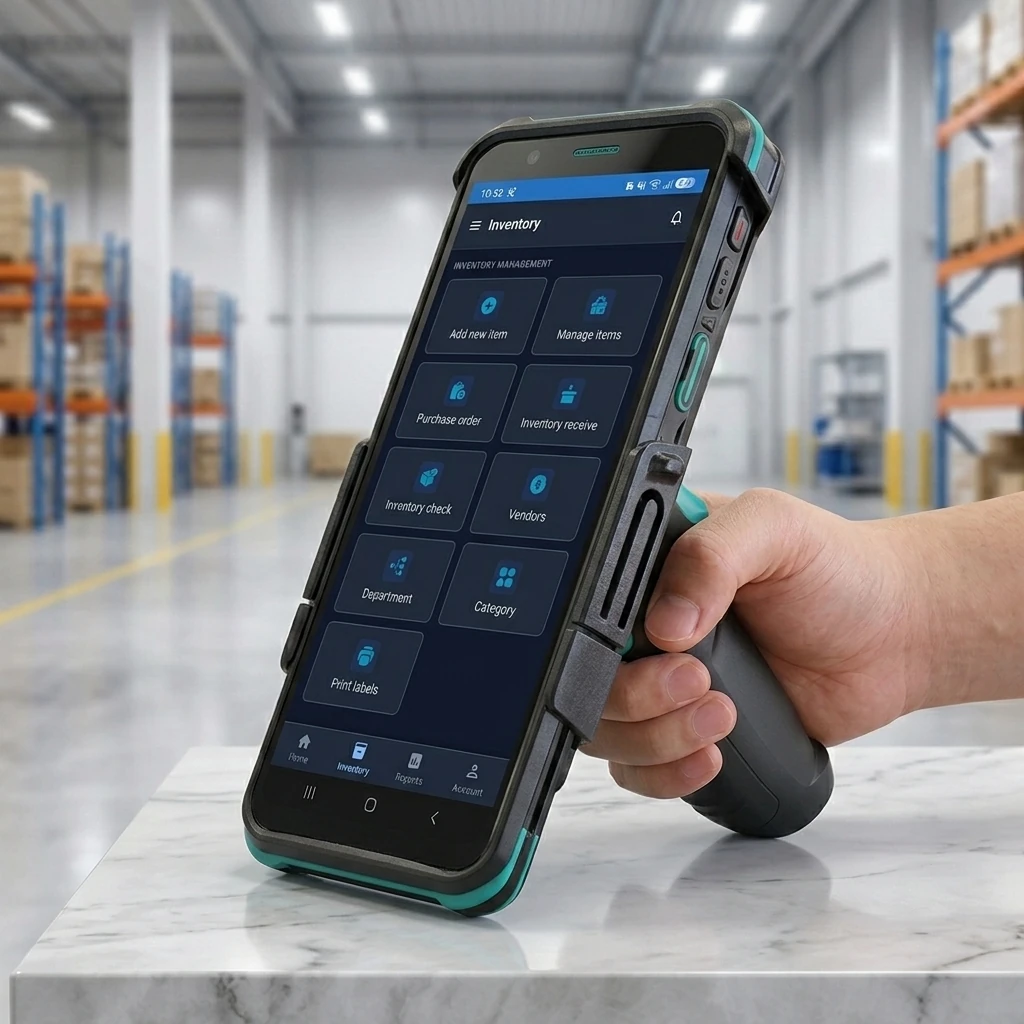 03
03Orders, receiving and counts
Purchase orders, receiving and physical counts, with a label designer built in.
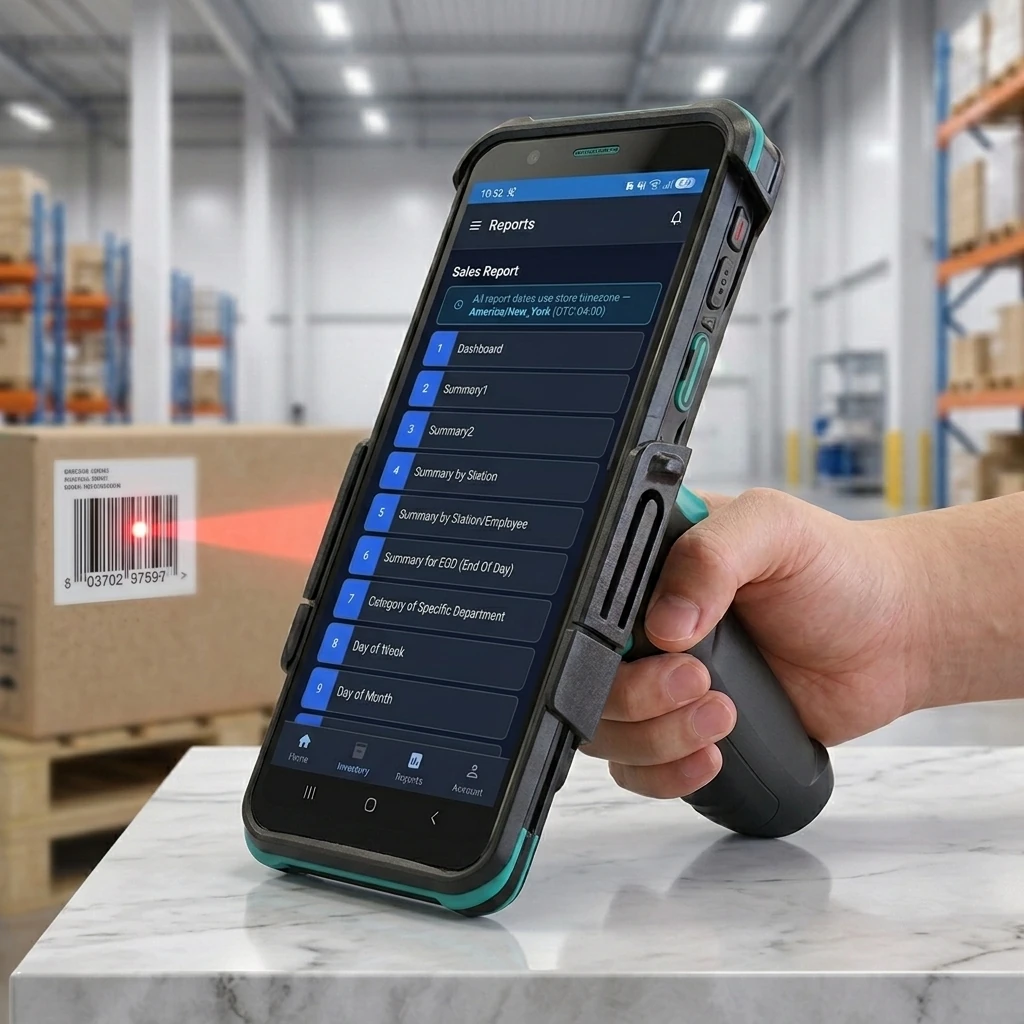 04
04The day, read back
Sales, payments and inventory reports, each one exportable to Excel or PDF.
The whole store, behind the counter.
Stock, promotions, staff and reports all run on the terminal itself — the same screen that rings the sale.
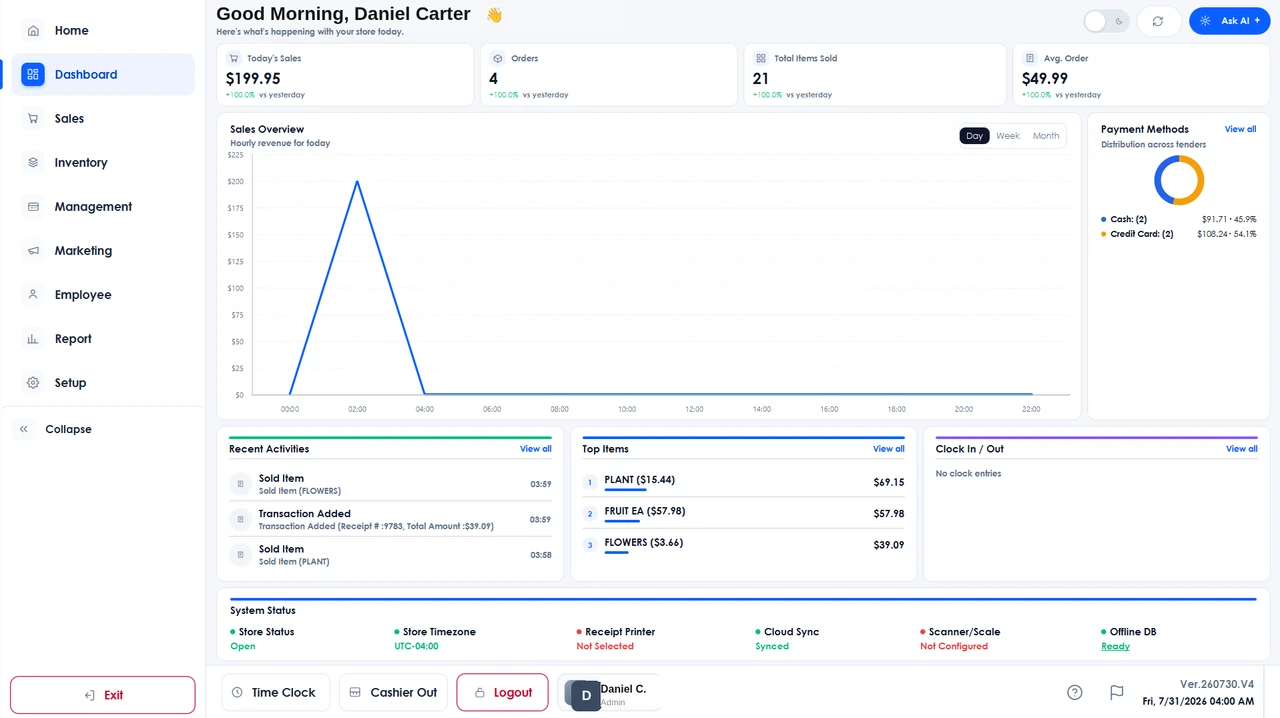
The day at a glance: sales, orders and average order value, the cash-versus-card split and every station’s status. 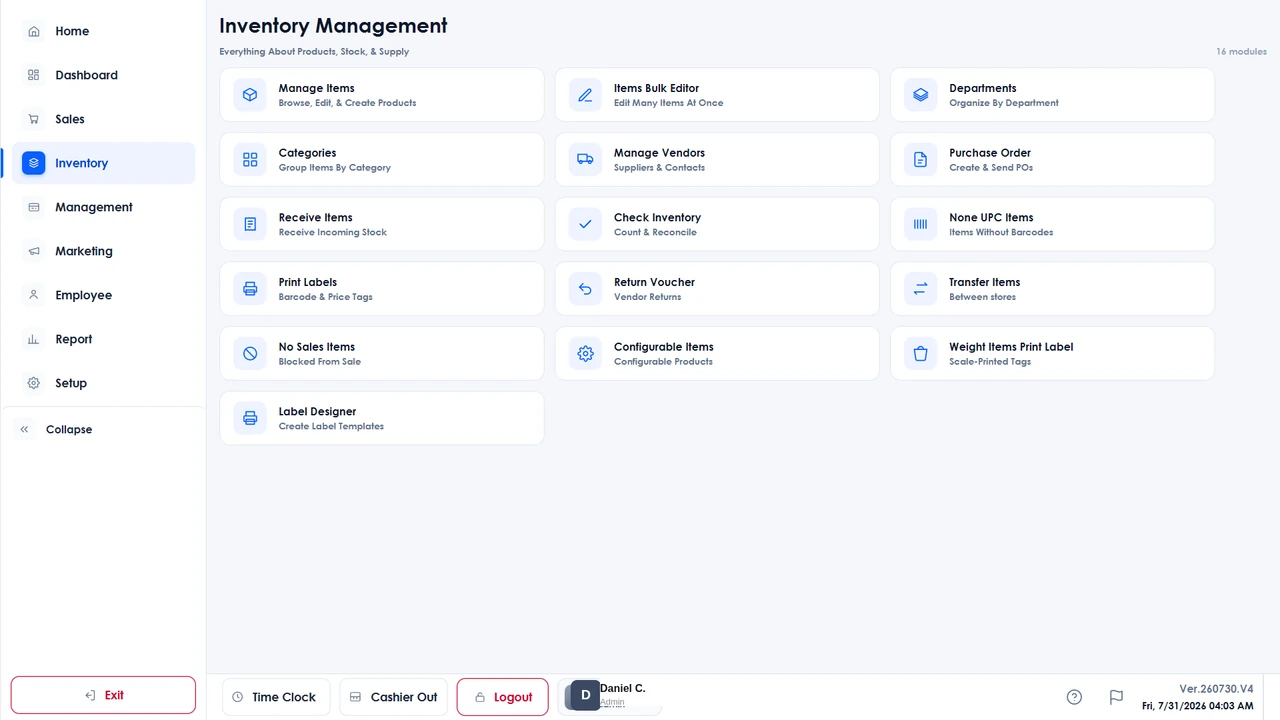
Stock in one place: purchase orders, receiving, physical counts, vendors, transfers and a label designer. 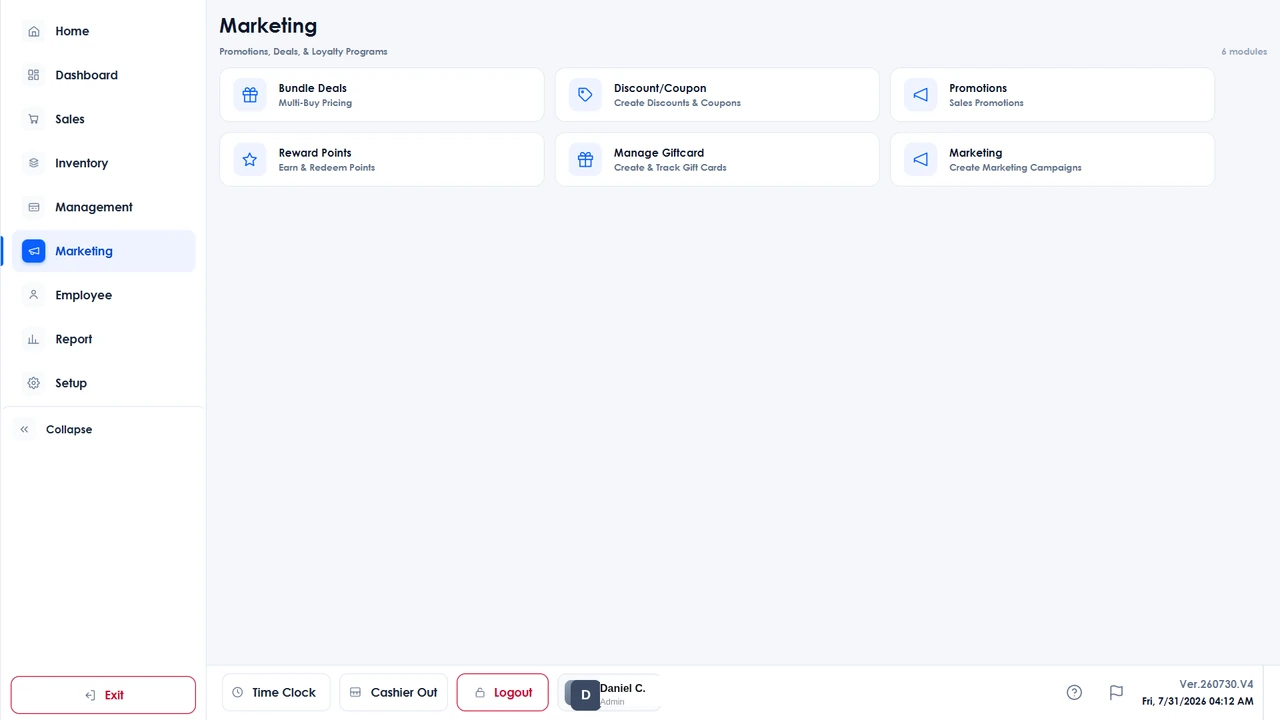
Bundle deals, coupons and promotions, plus reward points and gift cards. 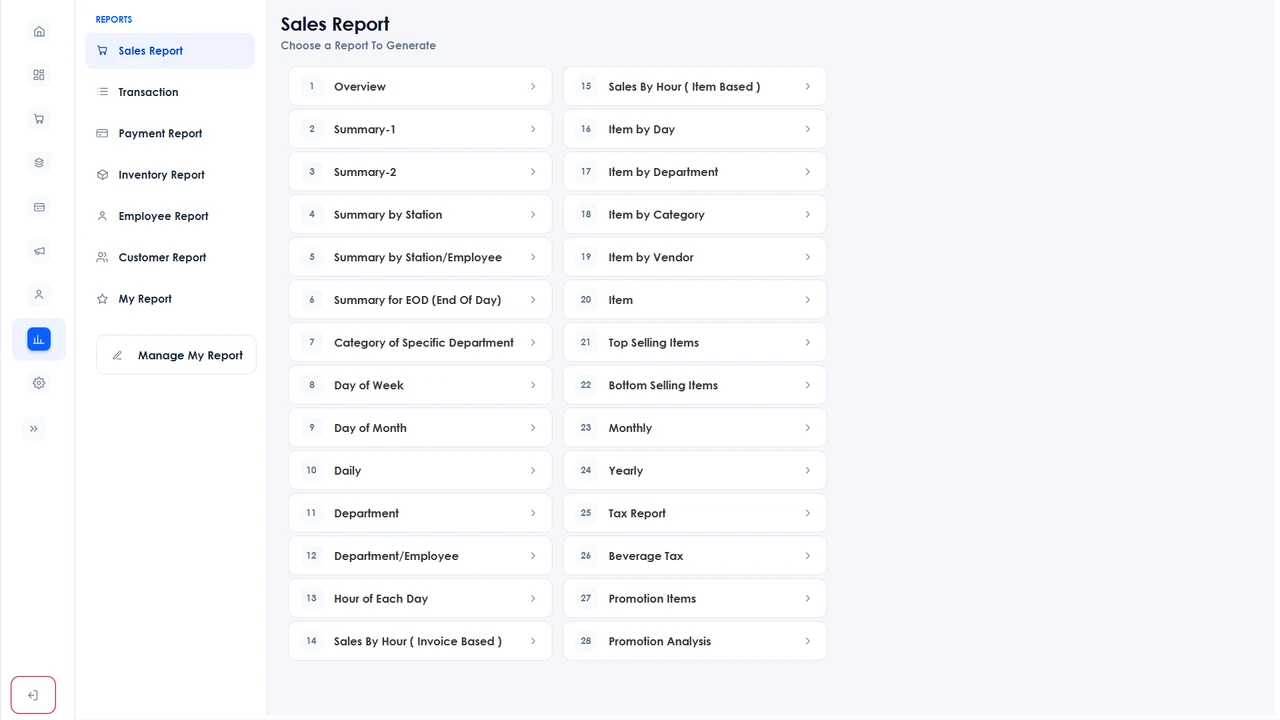
Seven report categories: sales, payments, inventory, employees, customers, transactions and eCommerce, each printed or emailed as a PDF, or exported to Excel.
The parts that do not change.
However a sale rings, it comes off the same catalog and lands in the same reports. The web dashboard ships with Branch Eats today, with Commerce coming soon.
Offline mode
The terminal runs on a local copy of your data, so it keeps ringing sales when the line drops and syncs back up the moment it returns.
Reporting
Sales, payments, inventory, employees, customers, transactions and eCommerce: exported to Excel or PDF, or emailed on a schedule.
Loyalty
Reward points with earning rules, store gift cards, store credit and house accounts, all settled at the counter.
Labor
Time clock with optional clock-in video, cashier in and out by denomination, payroll and granular staff permissions.
See Branch Commerce at your counter.
We set the hardware up on site, load your catalog and train the people who will use it. Installation and support run out of New York.
Book a walkthrough