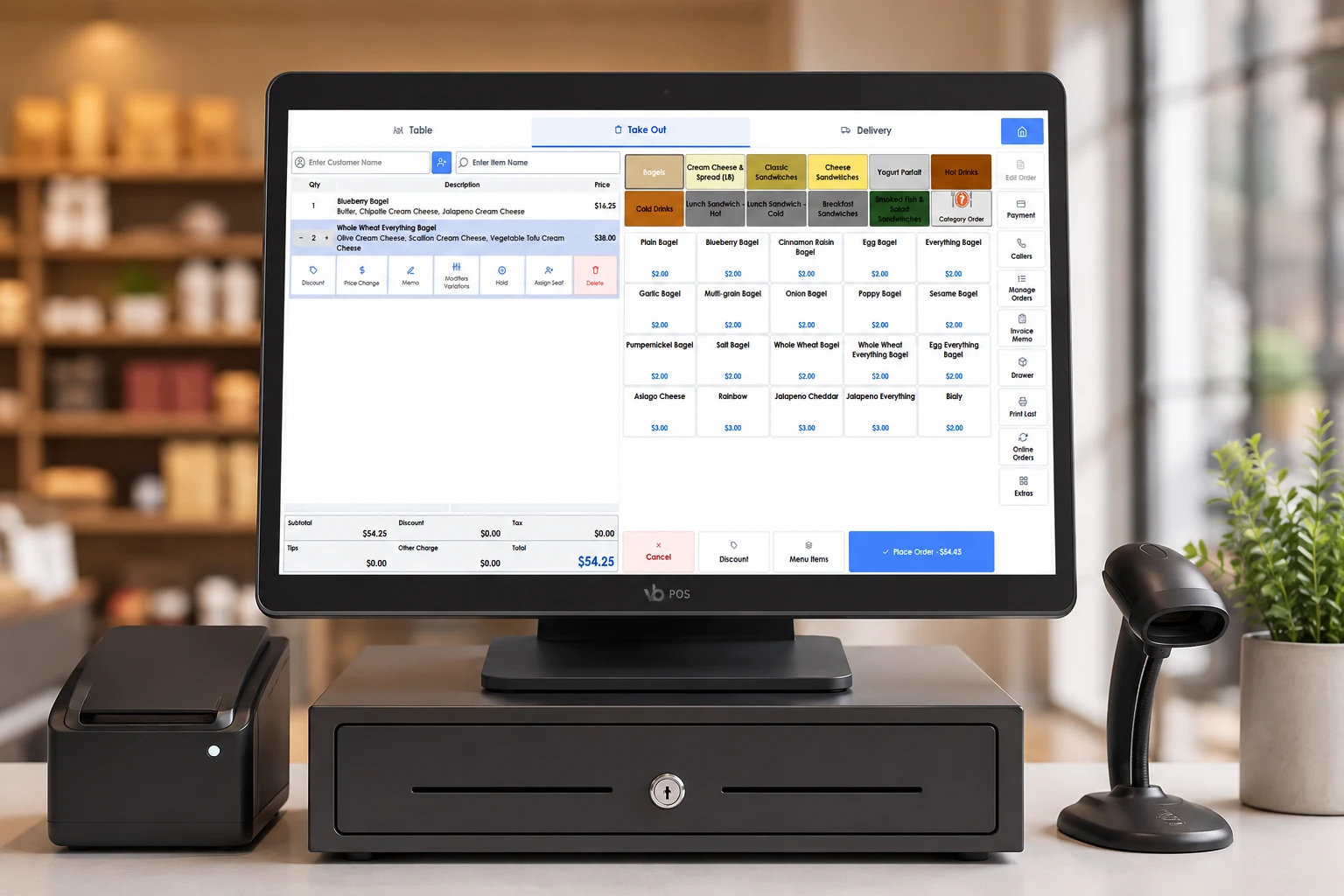
Point of sale
One register behind the retail counter and the restaurant pass, and it keeps ringing sales at both when the line drops.
Powering grocery, hospitality and service businesses nationwide: fast, reliable and customized to how you operate.
US-based install, training and support · 888-827-6769
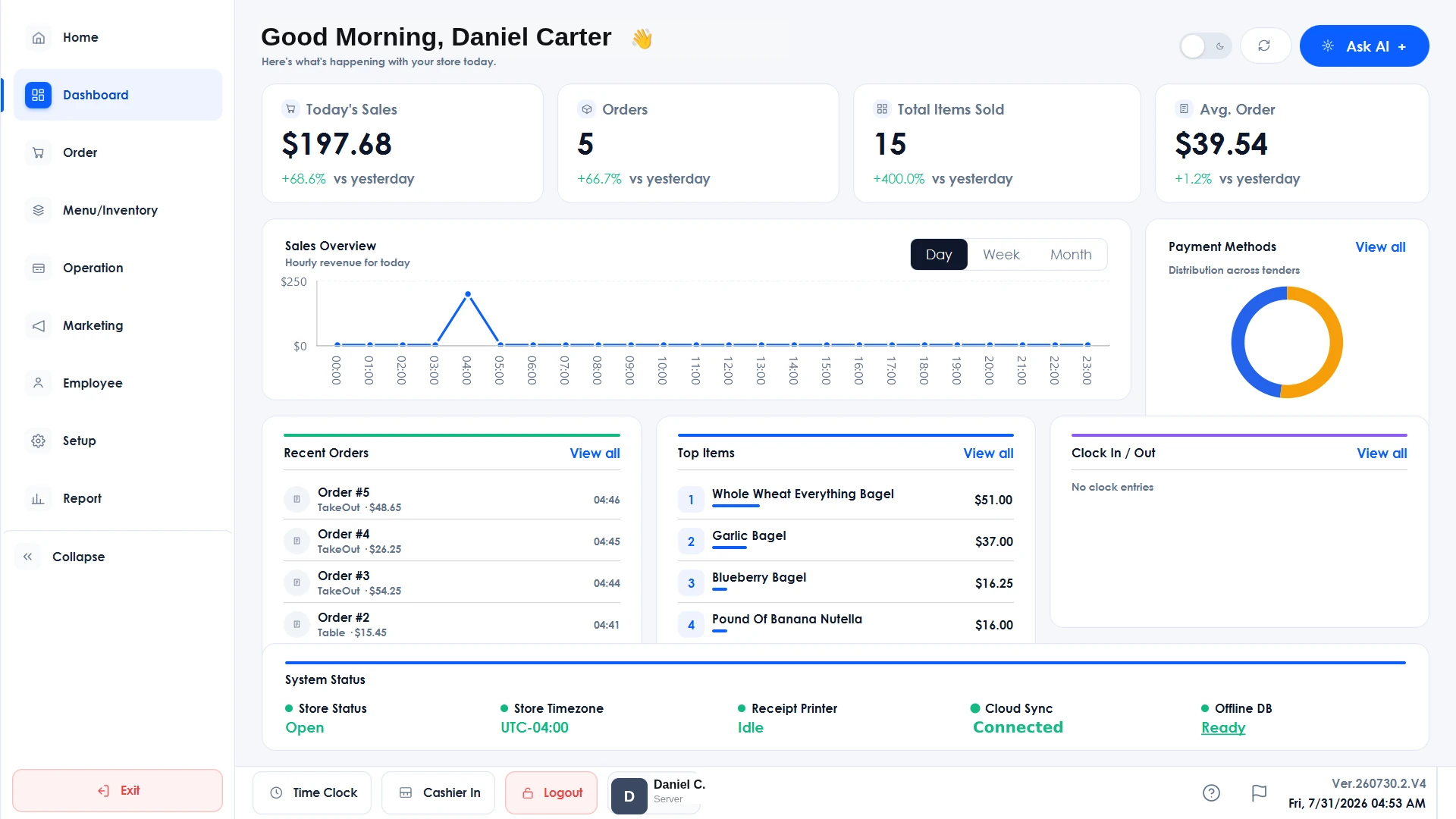
A quick look at what Branch actually runs, from the register in front of you to the schedule board in the back. Every one of these ships today.
One register behind the retail counter and the restaurant pass, and it keeps ringing sales at both when the line drops.
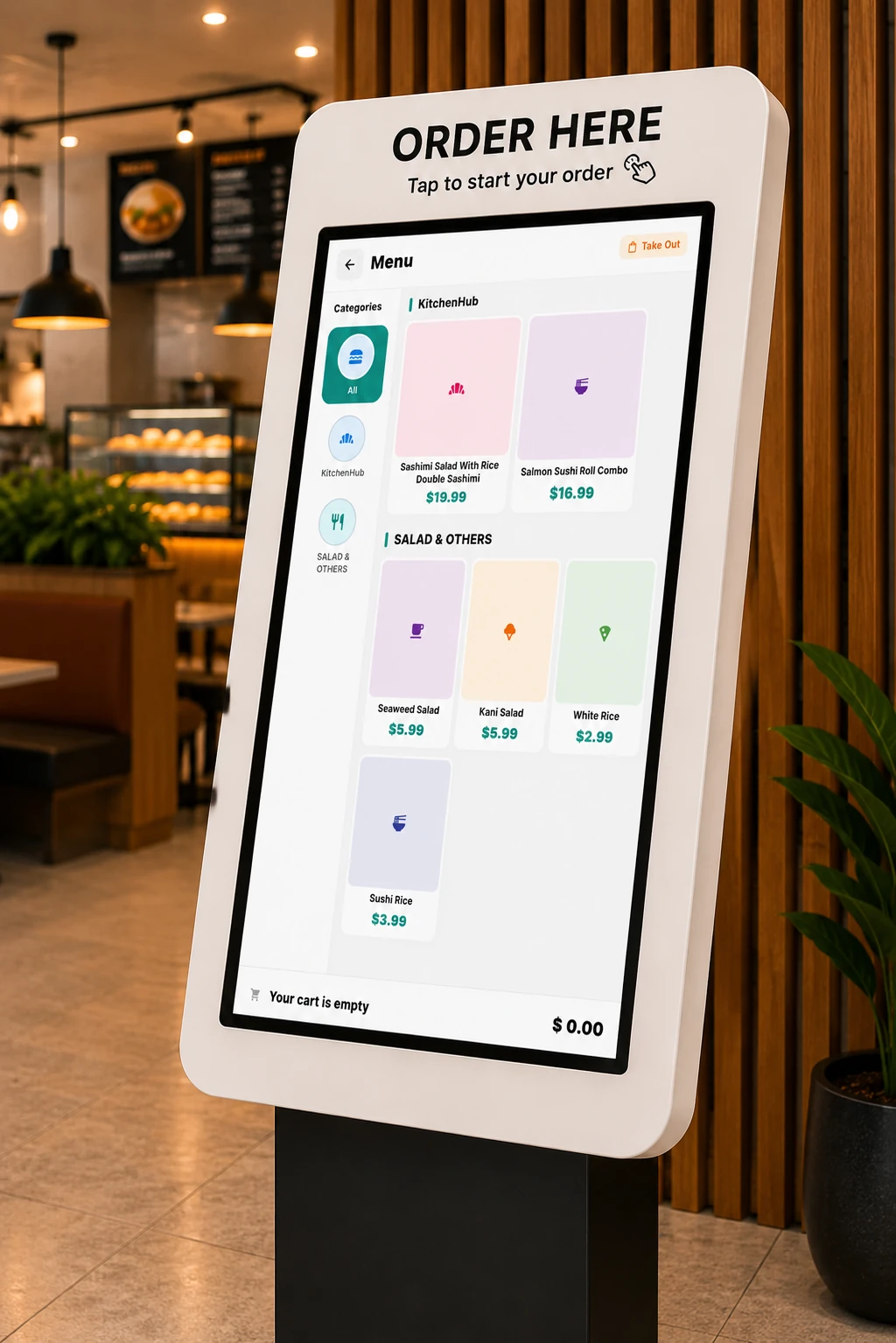
Guests order and pay from your live menu, so the line moves without another register.
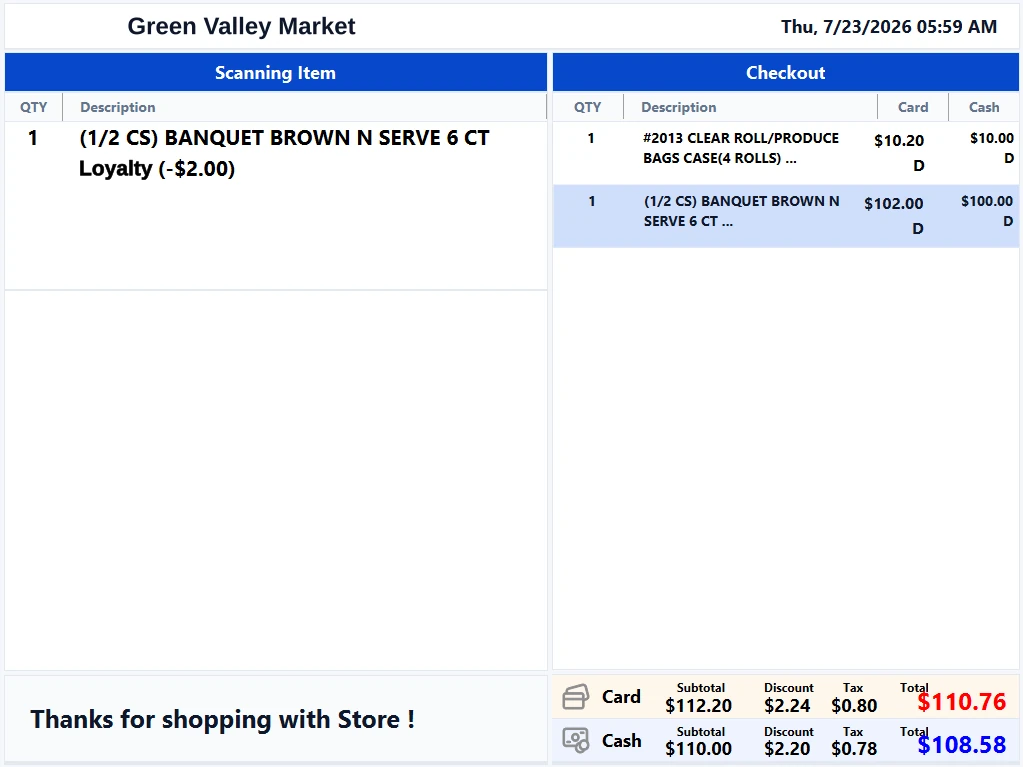
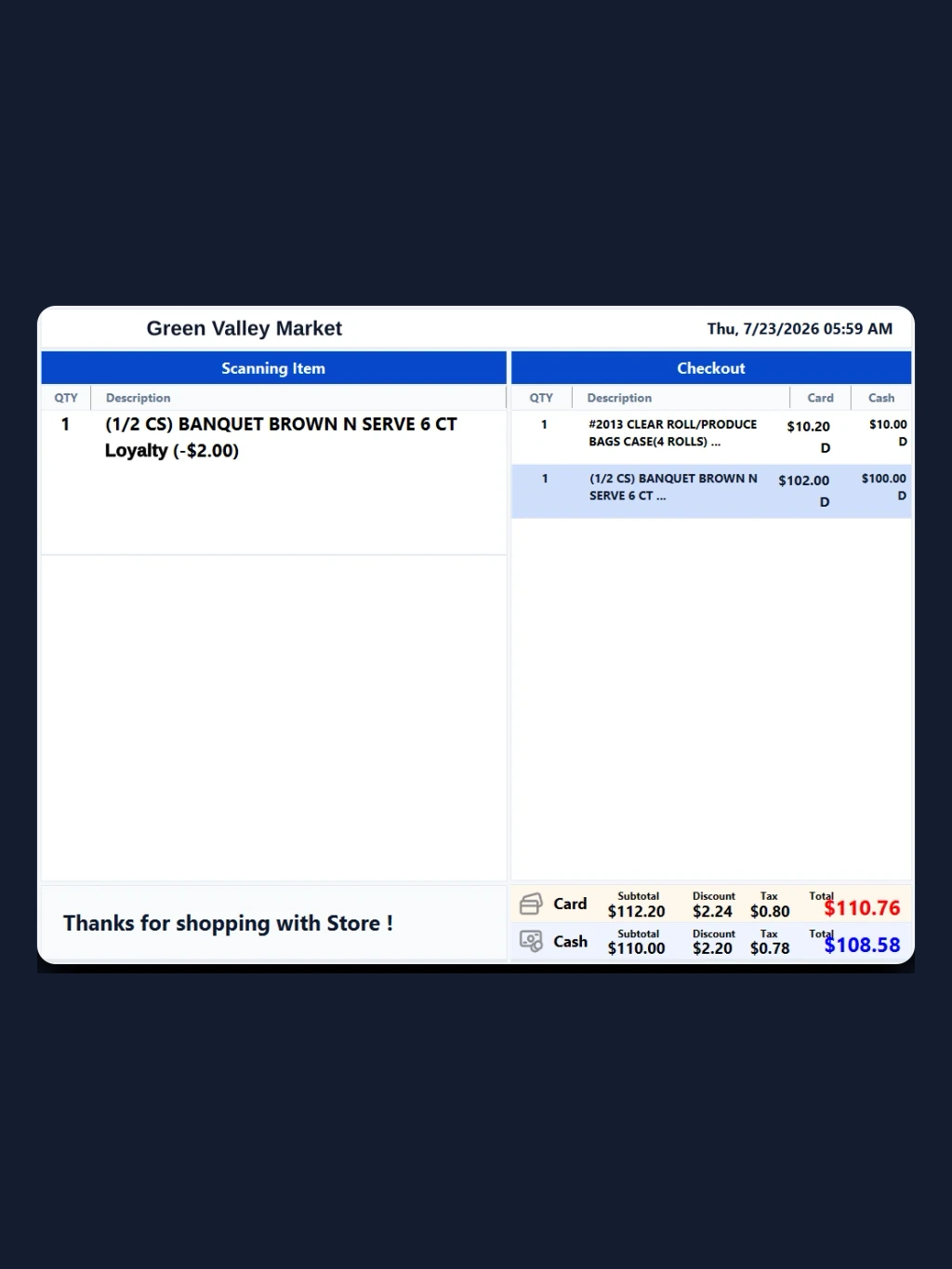
Cash and card totals side by side on the customer display. No surprises at the counter.
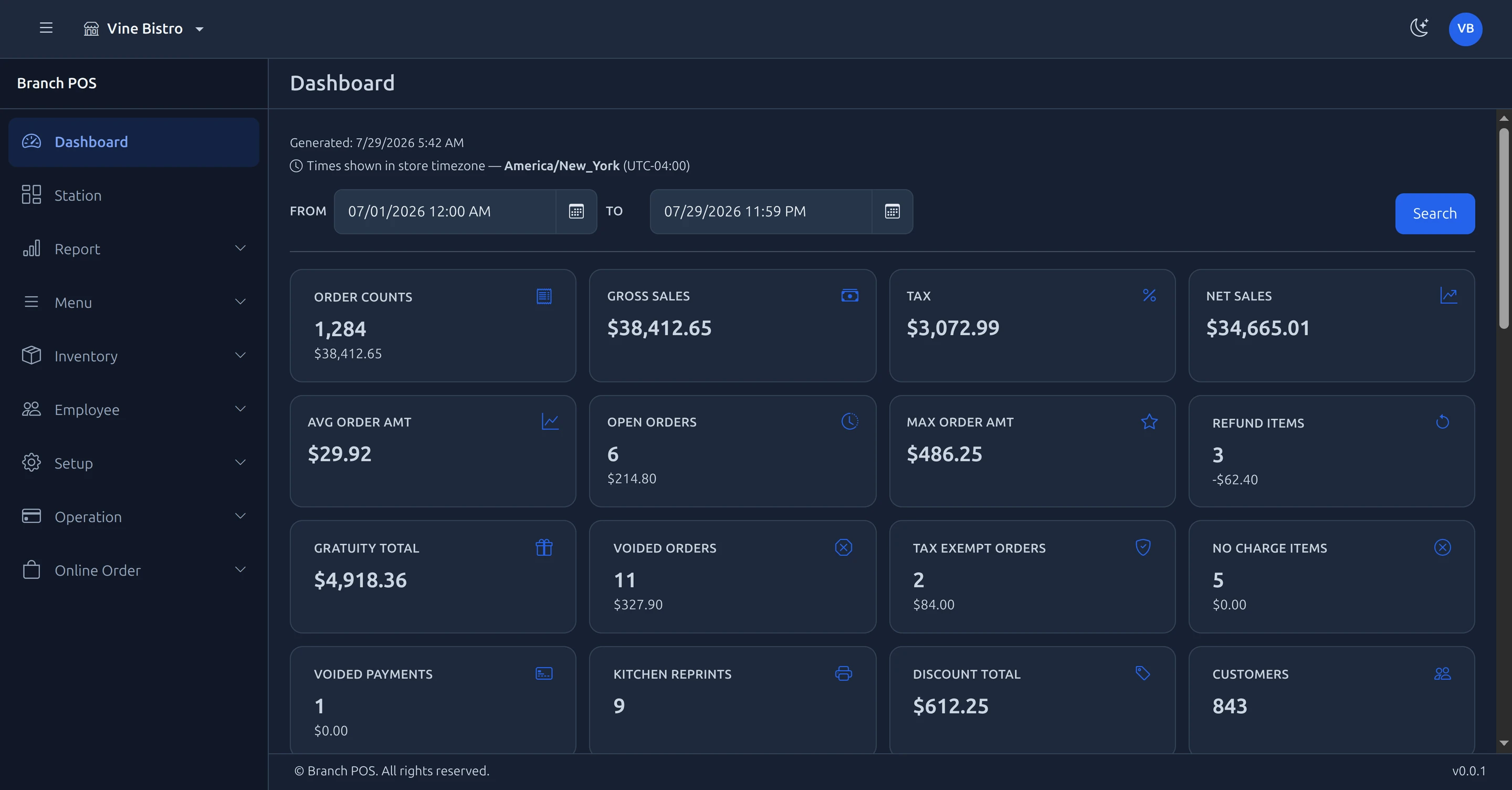
Menu, items, staff and pricing from any browser. Ships with Branch Eats today.
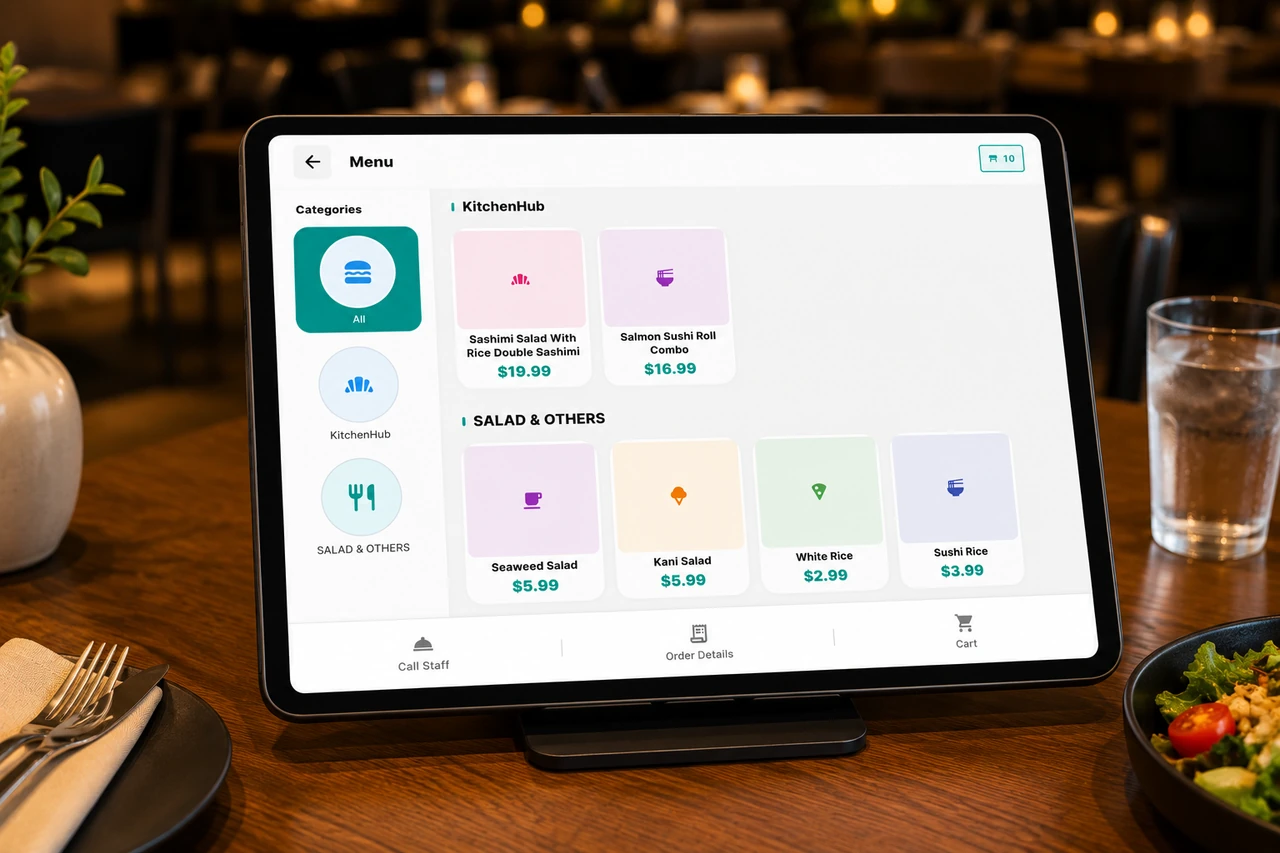
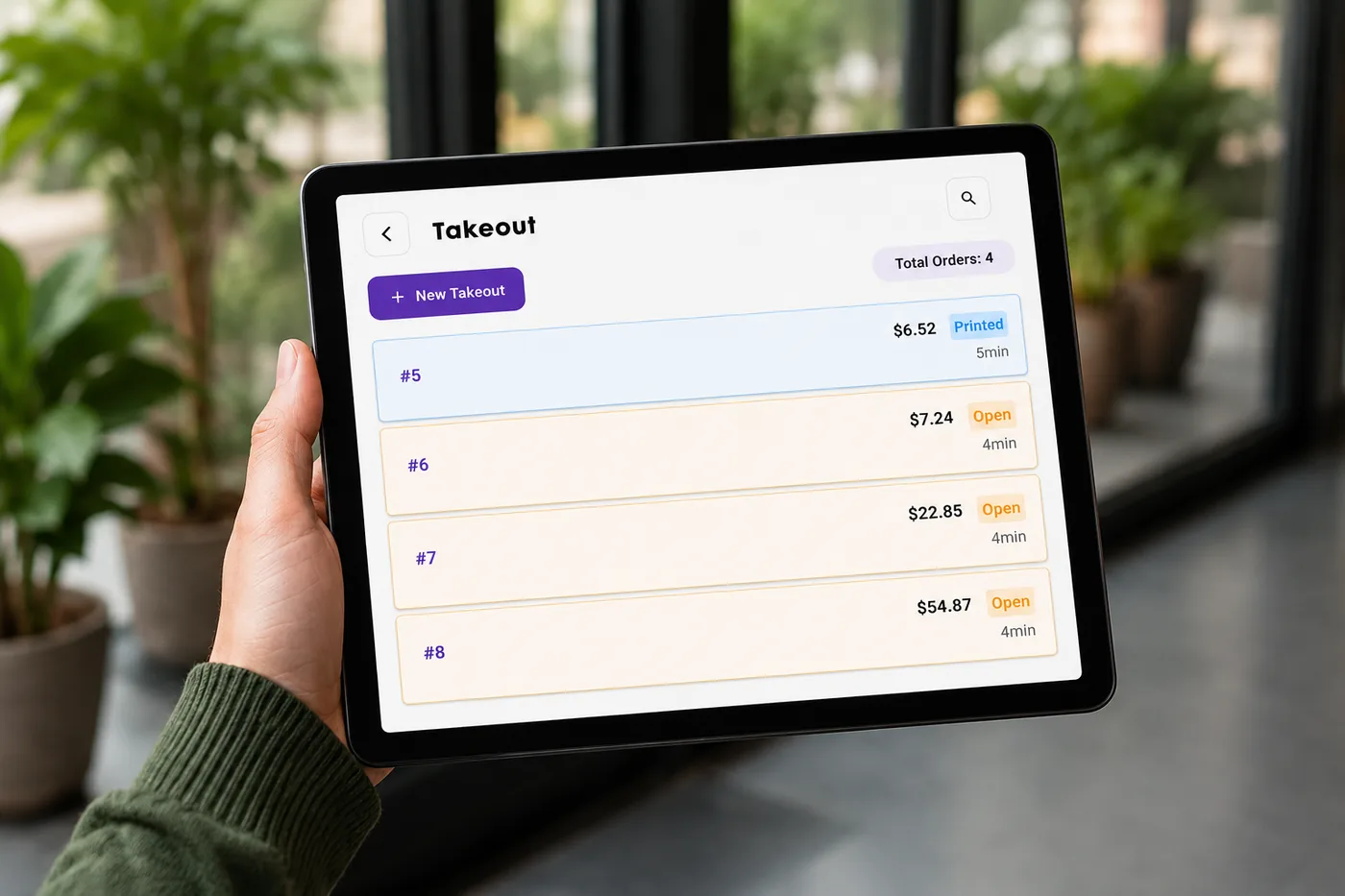
Your own pickup, delivery, curbside and QR table ordering, with Uber Eats, DoorDash and Grubhub on the same rail.
The products differ where the work differs: a grocery lane is not a dinner rush. Each is a specialized program you choose for the trade it was built for.
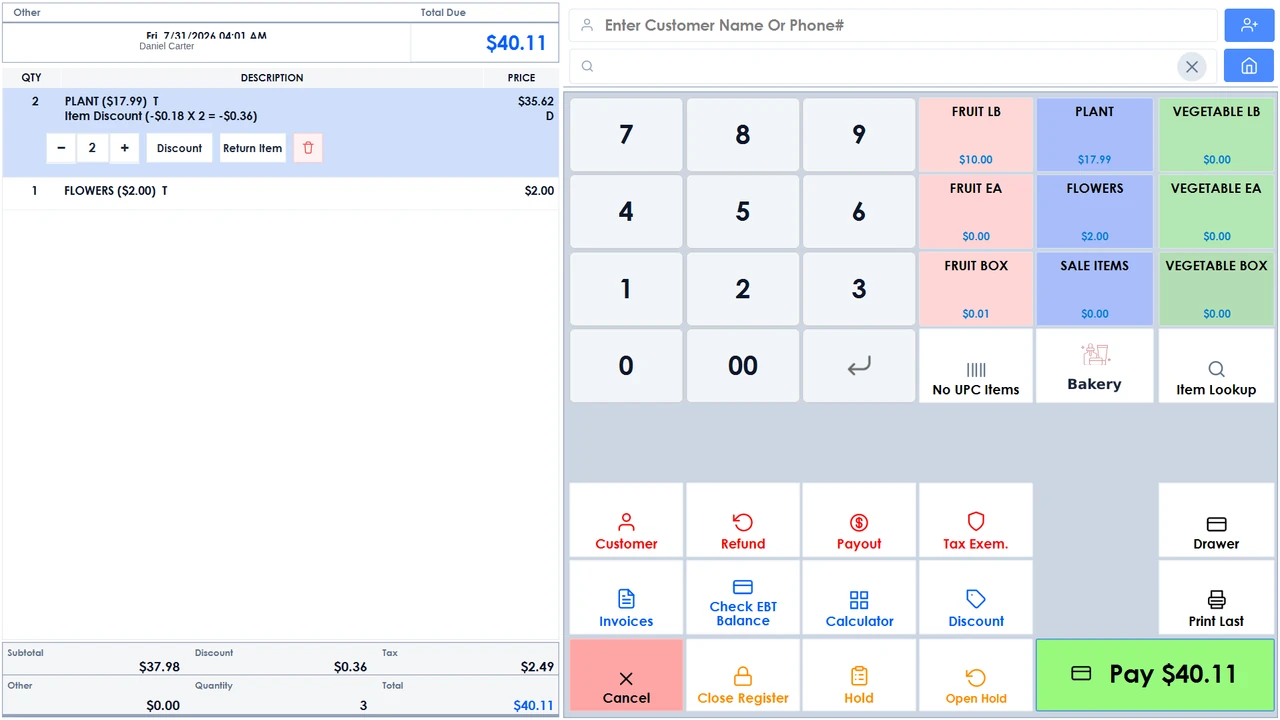
Grocery & supermarket
Built for the pace a busy grocery runs at. Dual pricing puts the cash and card total side by side on the customer display, EBT Food and EBT Cash ring as first-class tenders, and every sale moves stock the moment it closes.
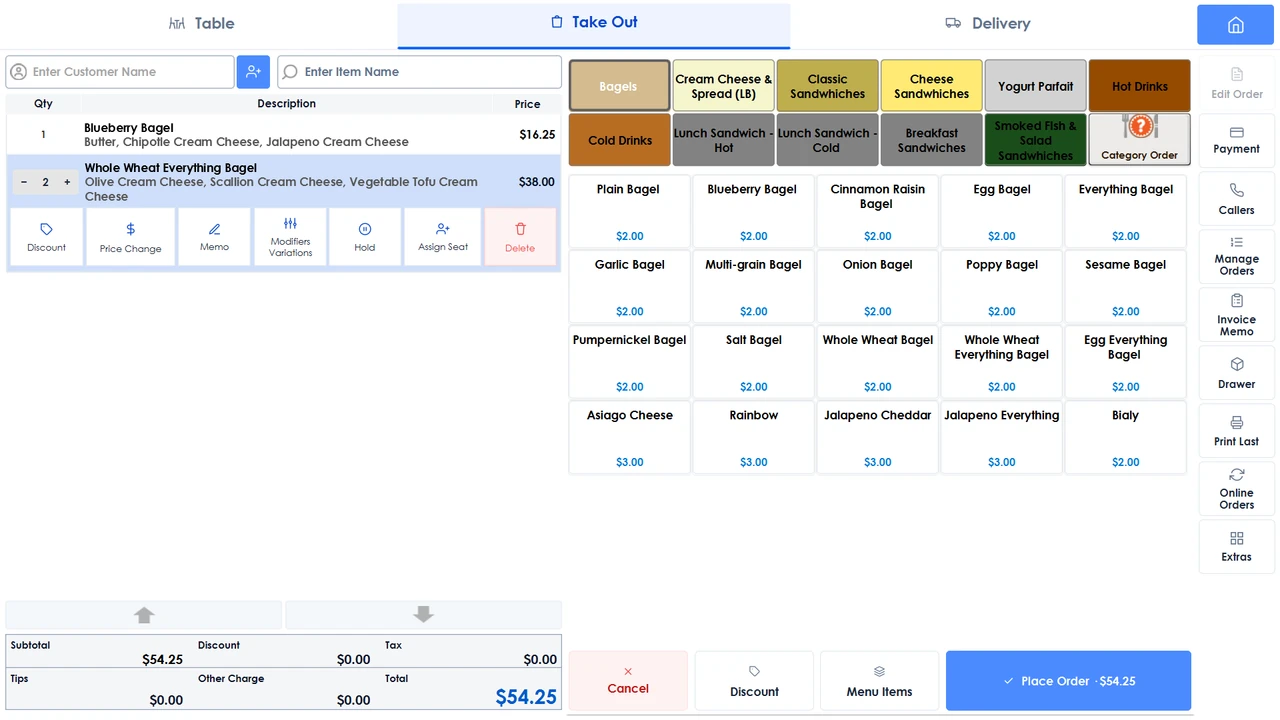
Restaurants & hospitality
Dine-in, takeout and delivery on one rail. Guests order at the table, at a kiosk or online, and Uber Eats, DoorDash and Grubhub tickets land right beside your walk-ins. Every channel hits the same screen behind the counter.
Most systems hand you a register and leave the rest to you. Follow one job of work through Vine Branch and the difference shows: it is never re-typed, and it never stops being the same job.
At the table, at a self-serve kiosk (licensed separately), or online for pickup or delivery. Every route reads the same live menu, so a sold-out item is sold out everywhere at once.
Items route to the station that makes them, with modifiers and guest numbers attached. Nothing is re-keyed, so nothing is heard wrong across a noisy pass.
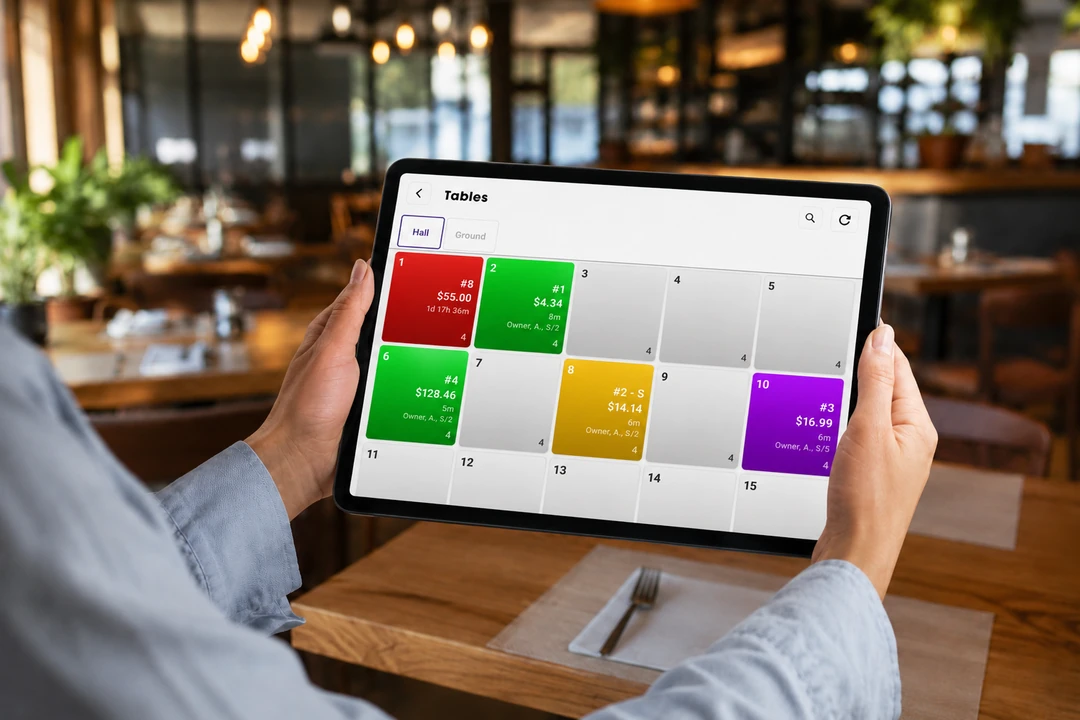
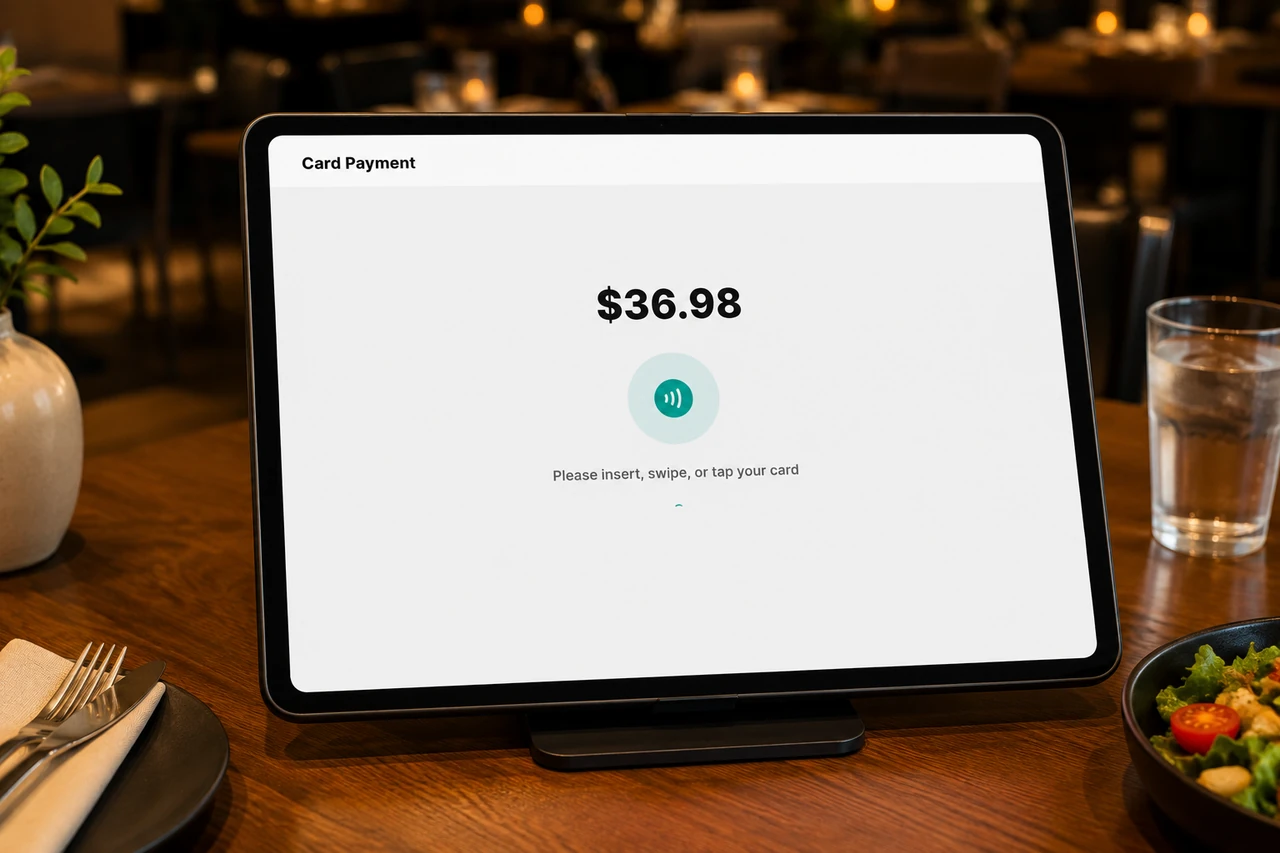
Split by guest, by item or by amount. Automatic gratuity on large parties, tips settled at the terminal, and the check reprinted in a tap.
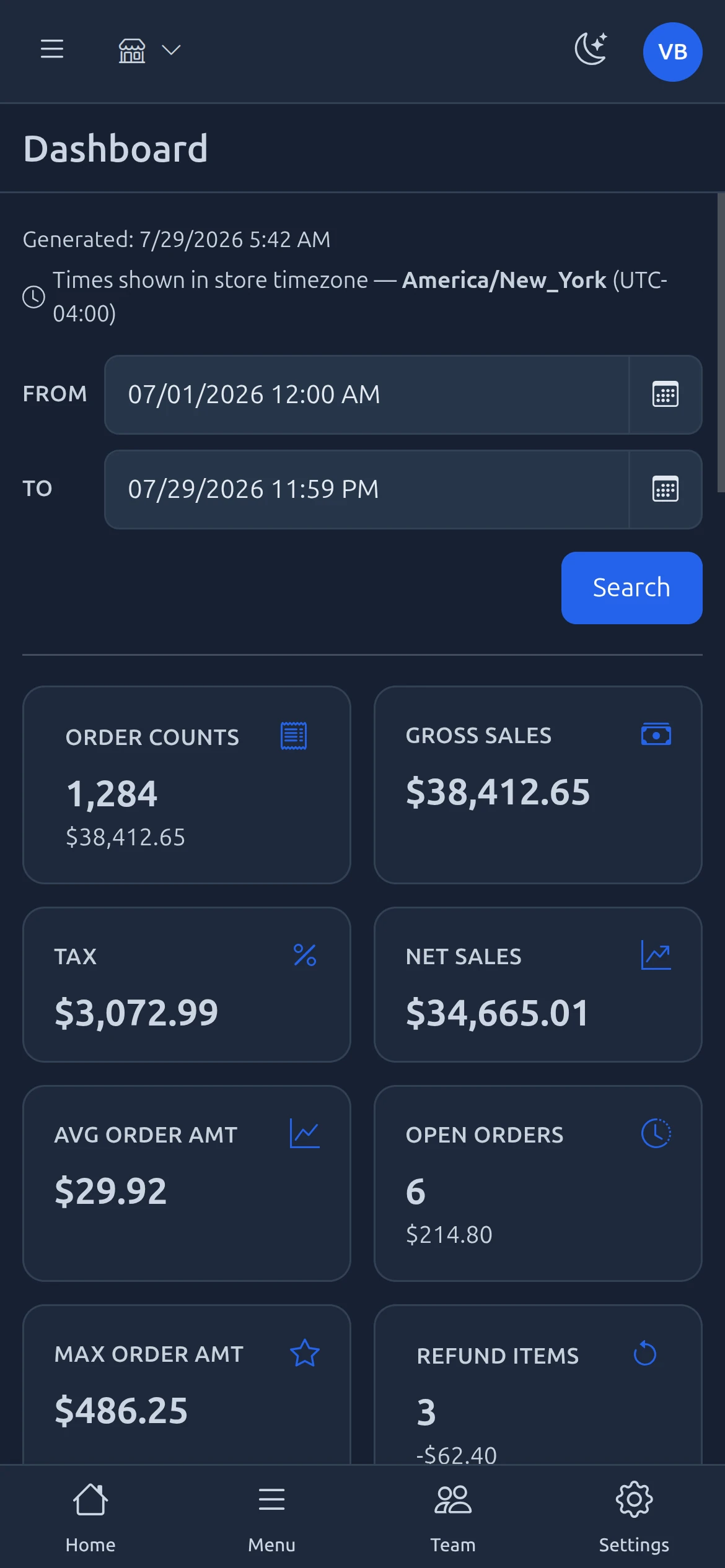
Sales, tax, item mix, payment type and ten different views of tips: ready to export to Excel, print, or arrive in your inbox on a schedule.
A wall-mounted price-check station (a separately licensed kiosk app) answers it without pulling anyone off a register, and the same catalog backs the shelf, the lane and the online store.
Cash and card totals show side by side on the customer display, weighed items come straight off the scale, and EBT Food and EBT Cash tender like any other payment.
Counts move as the sale closes: on the shelf, in the back room and across every other station, without anyone re-publishing anything.
Item mix, margin and tax are already totaled by the time you cash out the drawer, and the batch settles on its own at the hour you set.
Every system claims to do everything. These are the specifics that tend to matter at 7pm on a Friday, each one tagged with the product it ships in, so you can see what applies to your counter.
Keep ringing sales when the line drops. The terminal runs on a local copy of your data and syncs back up the moment the connection returns.
Cash and card totals side by side on the customer display, with the card fee set as a percentage per item: printed either as both prices on every line, or as cash prices with the fee on its own line.
EBT Food and EBT Cash as first-class tenders, with an on-terminal balance check and begin, purchase and end balances printed on the receipt.
CAS, Casio, Samsung and Datalogic Magellan scales, CAS label-scale PLU sync, and driver-license scanning for age-restricted sales.
Guests order and pay at the kiosk from your live menu, and retail adds a scan-and-pay self-checkout lane. Mark an item out of stock and it is locked out on the kiosk and the online menu straight away, and pulled from your delivery-app menus.
Items route to the station that makes them, with cooking-step tracking, a customer-facing order-status screen and spoken order call-out.
Floor-plan designer with rooms, seat counts and default servers. Merge or divide tables, assign items to a guest, and split by guest, item or amount.
Uber Eats, DoorDash, Grubhub and Menufy orders land on the same rail as walk-ins, and Uber Eats, DoorDash and Grubhub can each carry their own menu prices.
Your own pickup, delivery, curbside and QR table ordering, with a live delivery quote and ETA from Uber Direct at checkout.
An online store on the counter catalog, taking pickup and doorstep delivery orders, managed from the POS.
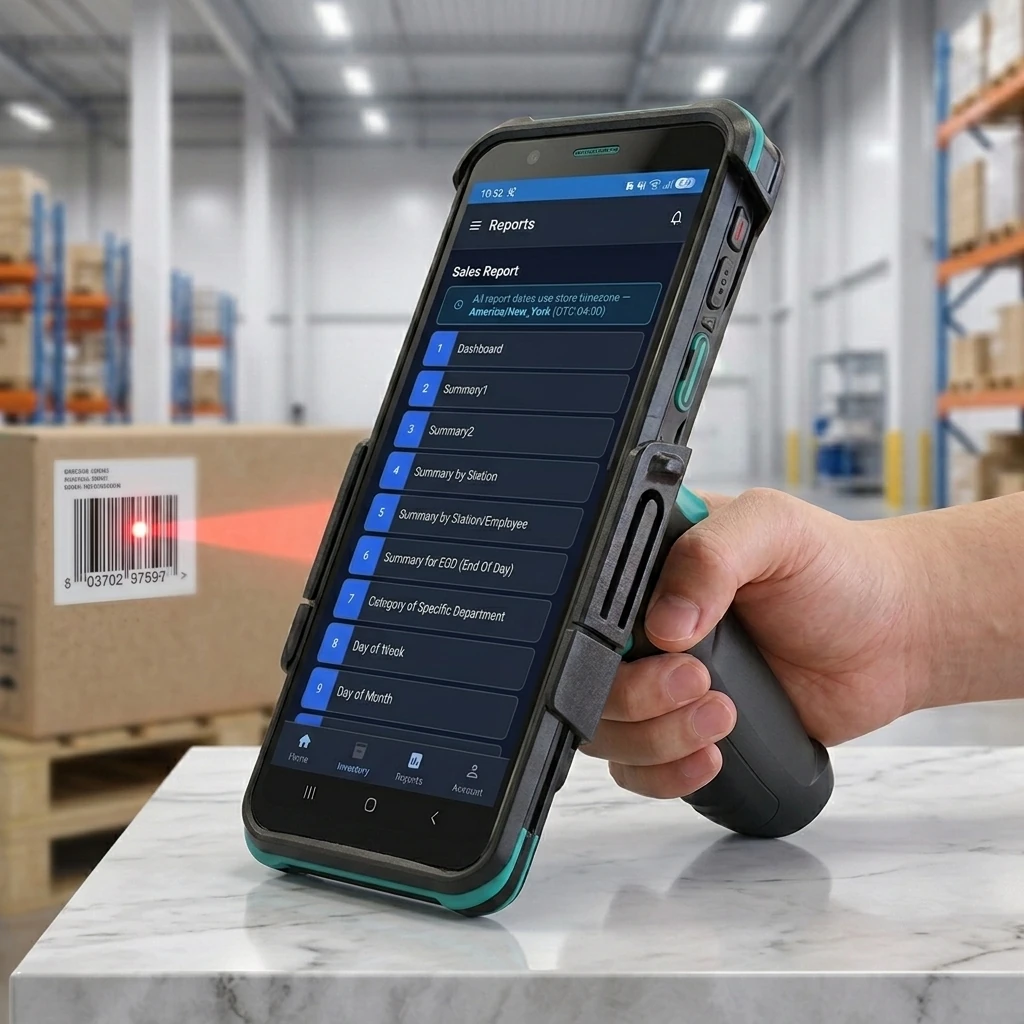
Purchase orders, receiving and physical counts, with a label designer in Commerce and Eats.
Size, color and style attributes on items, and stock transfers between your stores.
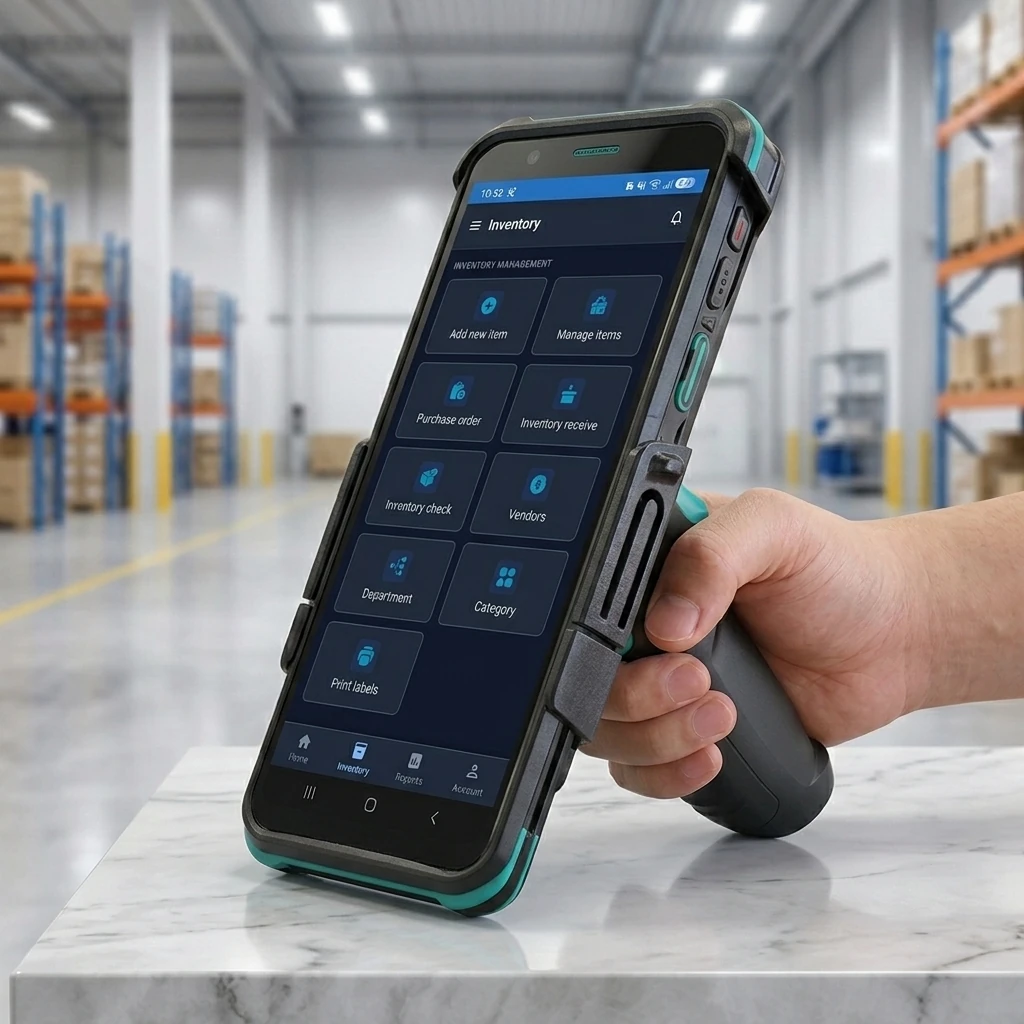
Seven report categories in Commerce and Eats: sales, payments, inventory, employees and customers in both, with orders and tips added in Eats and transactions and eCommerce in Commerce. Each one prints or emails as a PDF on a schedule, and exports to Excel.
Manage your menu, items, staff, pricing, and settings from any browser. Orders stay read-only, so nothing can be changed remotely while your team is mid-service.
Reward points with earning rules, store gift cards, store credit and house accounts, all settled at the counter.
Time clock, cashier in and out by denomination, payroll, commissions and granular staff permissions, with optional clock-in video in Commerce and Eats.
Cash, card, gift cards, store credit, reward points and house accounts on one sale, split across as many tenders as it takes. Card runs on a semi-integrated PAX terminal.
Multi-level security groups with granular, per-screen permissions and a role for every employee, with an activity log and voided-payment and cash-drawer audits in Commerce and Eats.
Run a group of stores from Central Office: shared inventory, gift cards and reward points across the group, while each store keeps its own catalog and pricing and reports in its own timezone.
Every terminal keeps a local database and mirrors it to the cloud, so your data lives in both places and syncs continuously.
US-based installation, staff training and ongoing service. We set the hardware up on site, not by shipping you a box.
Getting a menu into a new system is the worst day of any install: hundreds of items, every size, every modifier, all keyed in by hand. Take a picture of it instead, check what comes back, and import it.
A licensed add-on. Ask us whether it is switched on for your plan.
Point a phone or a tablet at the printed menu. One picture per page.
Categories, items, prices, size variations and modifier groups come back structured, not as a wall of text.
Check the result, fix anything it misread, and choose what to keep, item by item or all at once.
The menu imports straight into your live catalog and is ready to ring on the POS. Switch each item on for the kiosk and online ordering when you want it there.
Terminals, handhelds, kiosks and customer displays, specified for your floor plan and installed on site, not shipped in a box for you to figure out.
Touchscreen terminal for the counter, specified with the drawer, printer and scanner your lane needs.
Customer-facing screen showing cash and card totals at the same time.
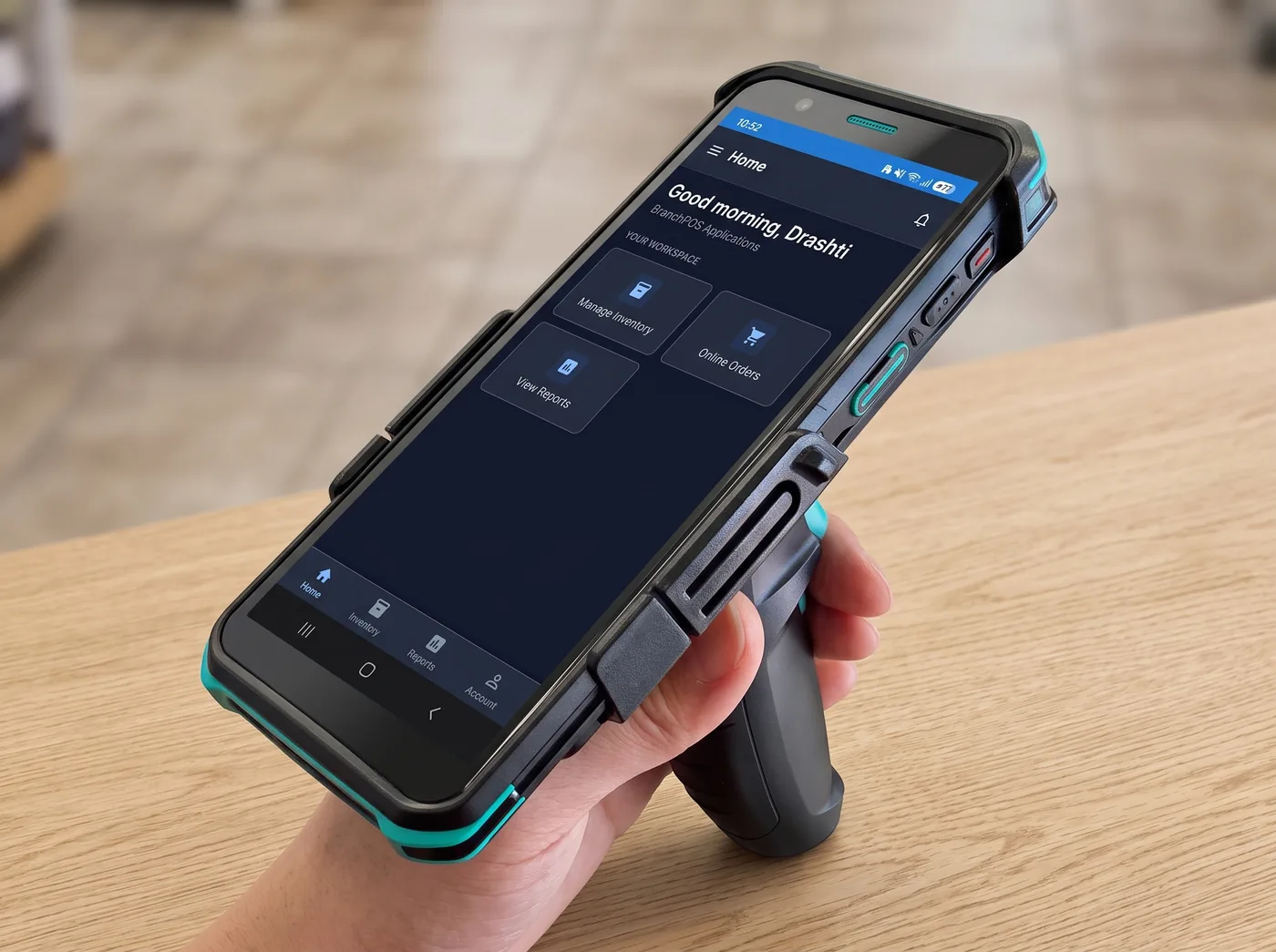
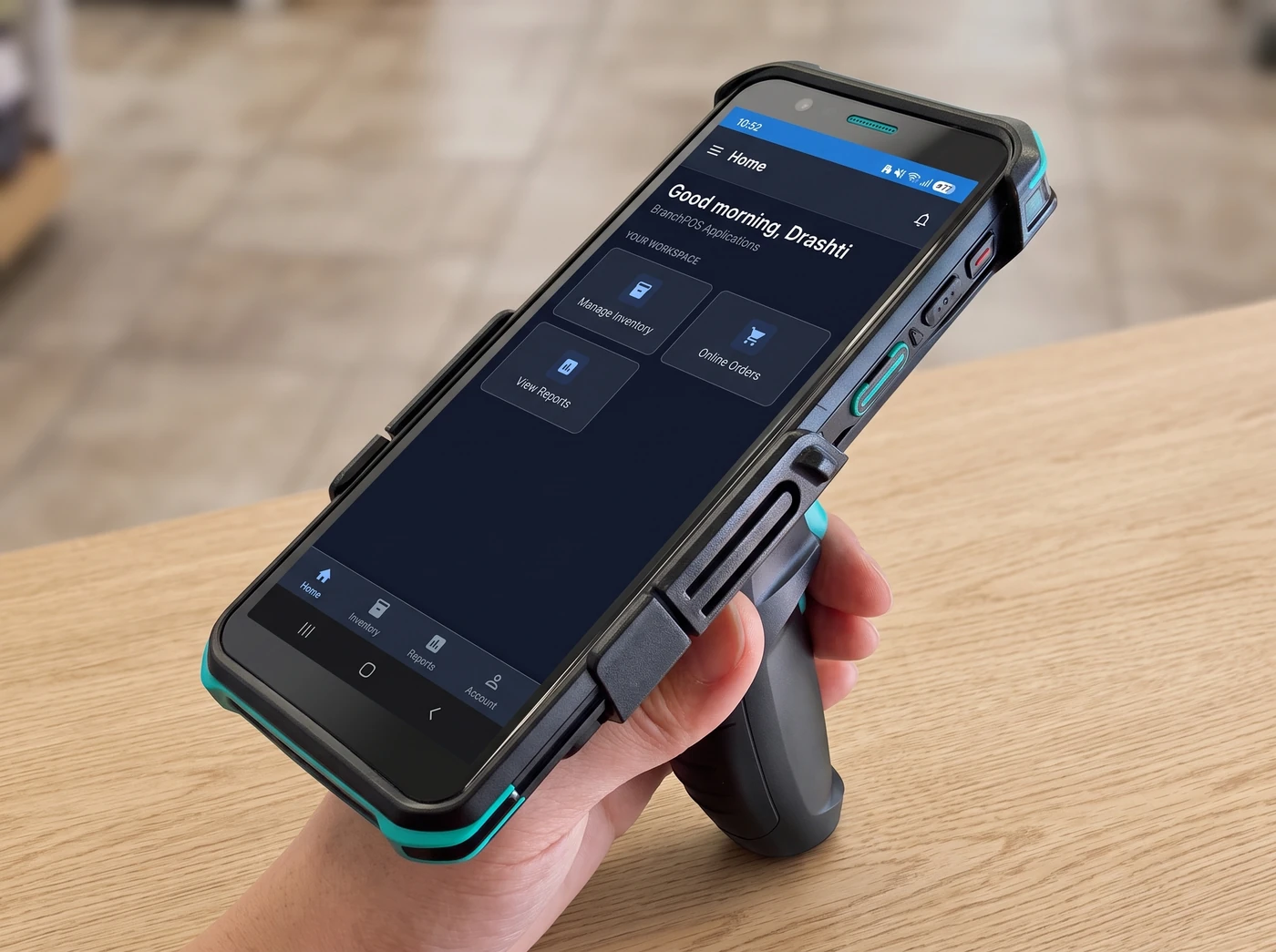
Rugged handheld for table service and the sales floor, and for stock, orders and reports anywhere on the floor.
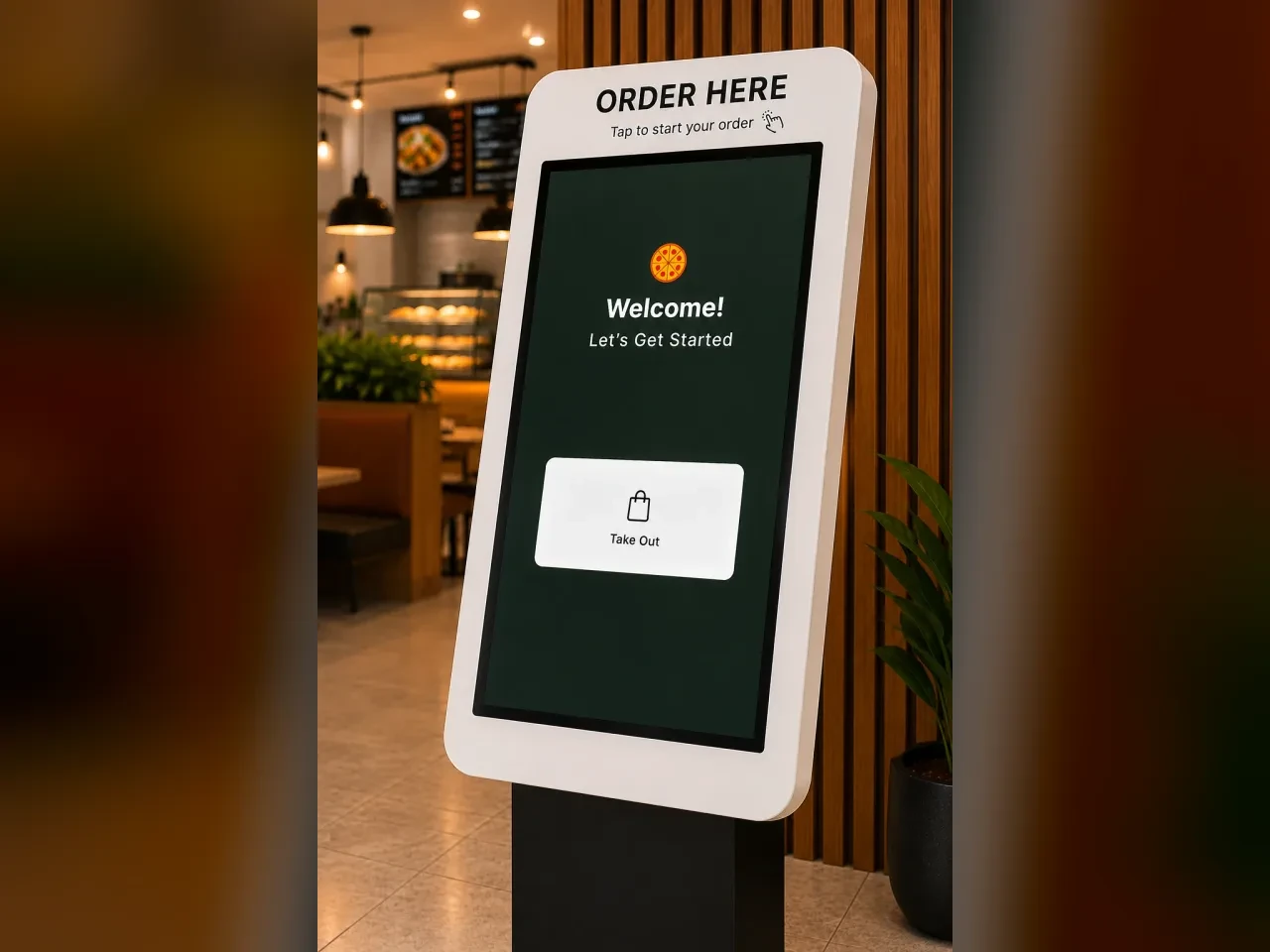
Free-standing ordering station for the lobby or the deli counter.
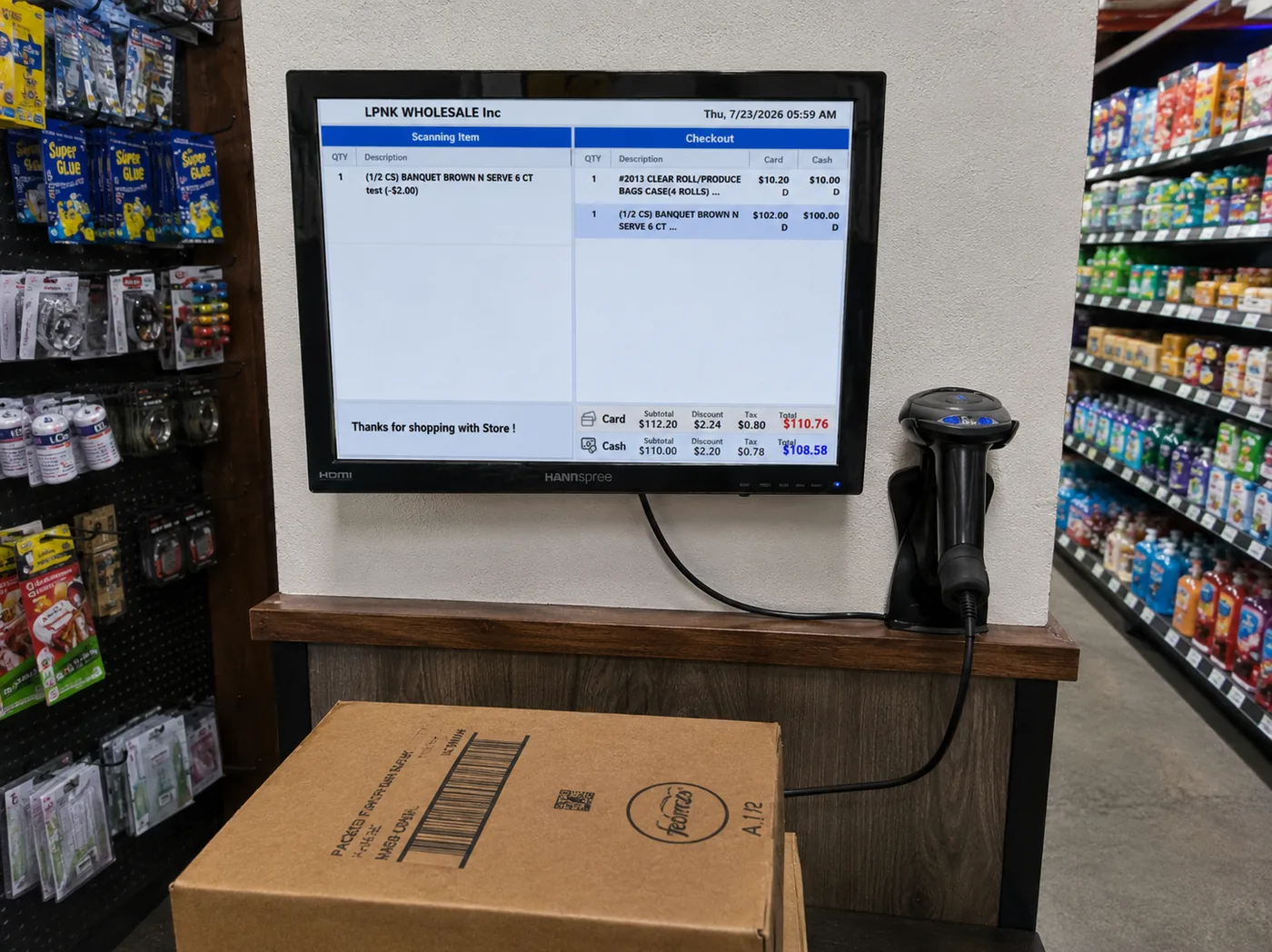
Fixed screen for the aisle, the pickup window or the back counter.
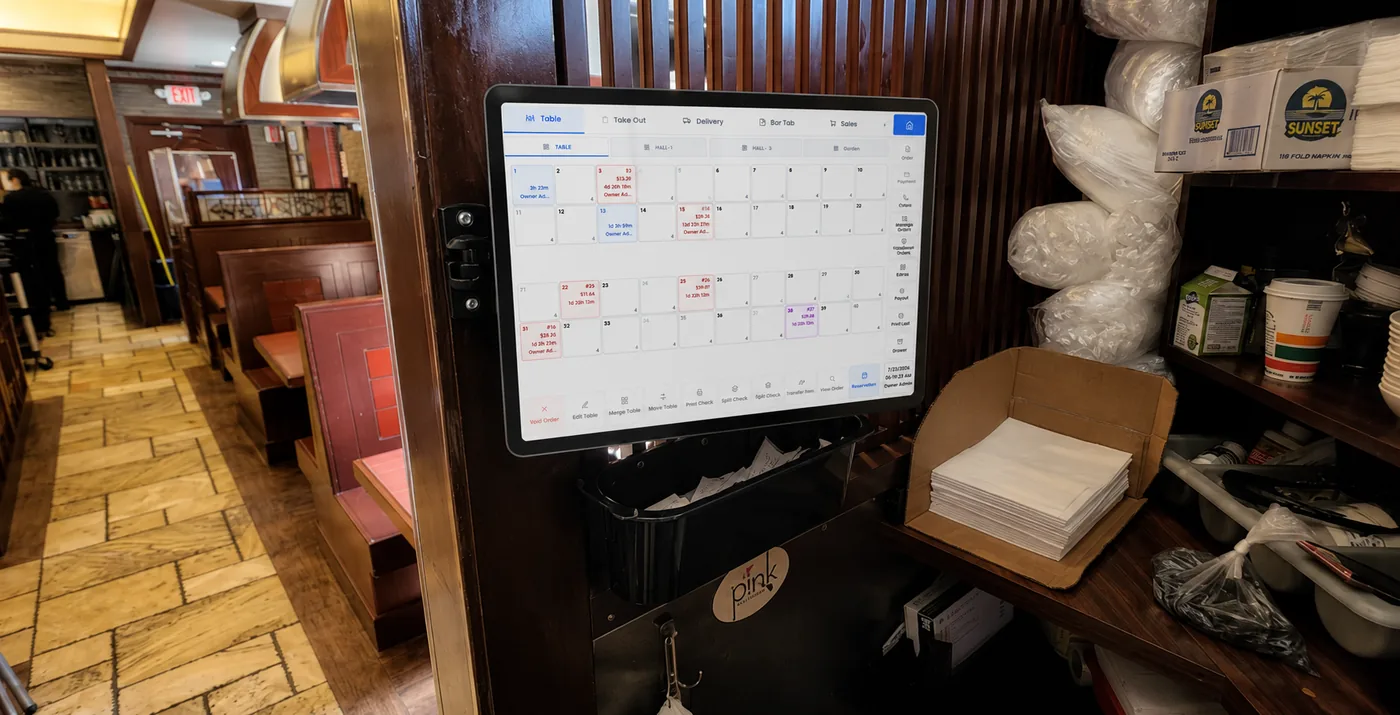
Fixed terminal for the pass or the server station, with the table map always up.
Branch is installed on site, on the hardware you already picked, and it keeps working when the day gets hard.
Dual-screen displays, wireless handheld tablets and fast PAX payment terminals: Branch runs on the hardware that fits your counter, not a locked-in box.
Hosted in the cloud and always current, with a local database on every terminal, so in Commerce and Eats the lane keeps ringing sales even if the internet drops.
Real-time sales reporting and inventory management from anywhere.
Real installs. Photography coming soon.
Vine Branch builds the software, supplies the hardware and does the install, so when something needs fixing there is no vendor to point at.
We set up the hardware, load your menu or catalog, and train the people who will use it.
Service and support run out of Great Neck. You reach a person who knows the system you bought.
Retail and restaurant each run their own program, and a group with many stores of one product sees them all in that program reporting.
You keep serving. Each terminal runs against a local copy of your menu, items, customers and settings, so it switches over on its own and keeps ringing sales, then syncs everything back up when the connection returns. Card payments still need the processor, so for those you fall back to manual entry until you are back online.
Yes. Each store keeps its own menu, staff and pricing, and Central Office gives you shared inventory, gift cards and reward points across the group. From the web dashboard you switch between stores, and each one reports in its own timezone.
The Branch Eats web dashboard runs in any browser and installs on your phone like an app (a Branch Commerce dashboard is on the way). Menus, items, modifiers, recipe costs, inventory, staff, payroll, permissions, printing and table layouts are all editable from there, alongside a full report library you can export to Excel or PDF, or have emailed on a schedule. Orders are deliberately read-only: you can see every line, payment and audit entry, but nothing can be altered remotely while service is running.
We install on site. That covers the hardware, the network, your menu or catalog, and training the staff on the terminal they will actually use. Support afterwards is US-based, out of Great Neck, New York.
Yes, through the same system. Branch Eats takes pickup, delivery, curbside and QR table orders through your own ordering app, with a live delivery quote from Uber Direct, and Uber Eats, DoorDash, Grubhub and Menufy orders arrive on the same rail as walk-ins. Branch Commerce runs an online store on the counter catalog.
One thing, and it is the useful one: photograph a paper menu and it comes back as categories, items, price variations and modifier groups for you to review and import, instead of being typed in by hand. There is also an assistant that answers questions about your sales data. Both are licensed add-ons rather than standard features. Ask us whether they are switched on for your plan.
It depends on the hardware you need and how many locations you run: a single handheld and a six-lane grocery store are not the same quote. Tell us what you are running and we will price it.
One store or ten, a deli counter or a full dining room. Describe the floor and we will show you the setup that fits it, and price it properly.
Interested in selling Branch POS solutions?
Learn about our Certified Dealer Network VINE BranchPOS & Payment
BranchPOS: point-of-sale for retail and restaurants. Installed, trained and supported from Great Neck, New York.
© 2026 Branch of True Vine Inc. (DBA Vine Branch). All rights reserved.
Privacy policy